Obsidian plugins: Binders
Binders is the plugin that likes to say ‘yes’, whether you’re importing from Longform or Scrivener, or adding it from elsewhere
The developer says…
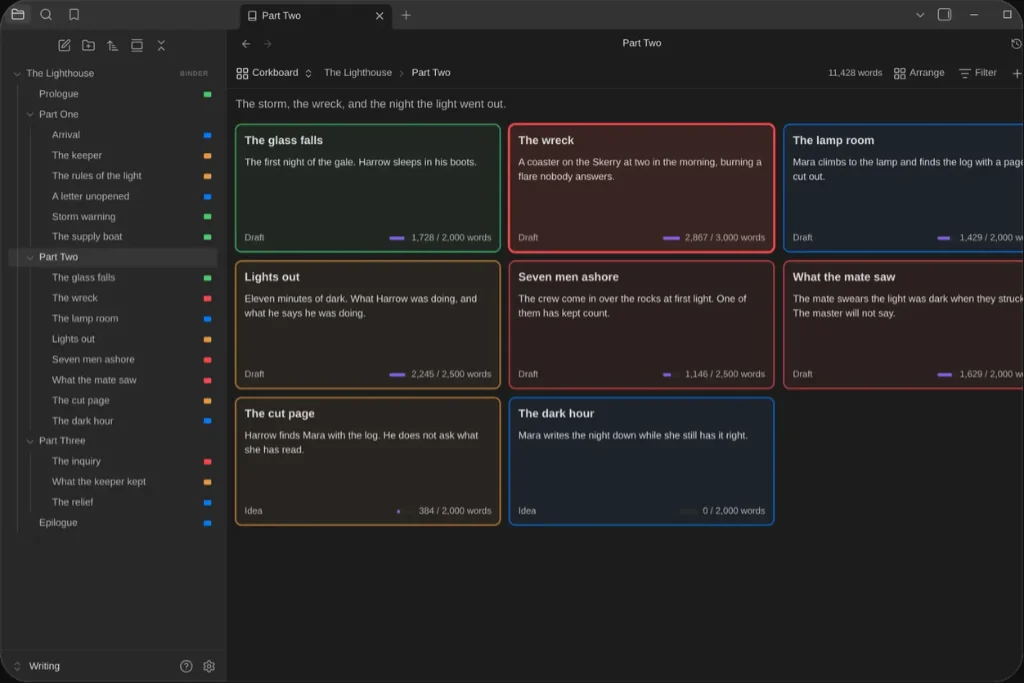
Binders turns a folder into a binder for a novel, a thesis or any long book, with chapters and scenes kept in your order right in the file explorer. Plan on a corkboard or in an outliner. See the story in its own time on a timeline. Write the whole manuscript as one page you can edit, or a scene at a time in focus mode. Set targets and deadlines and watch your progress. Take snapshots before a rewrite, and keep revision tasks by scene.
Import from Scrivener, Word and more, then export an EPUB, a submission manuscript, a print-ready paperback or a Scrivener project. Binders may also open Longform projects or convert them to native binders. Everything stays plain markdown, on desktop, phone and tablet.
Features
At a glance:
- Order: Notes and folders keep the order you give them, in the file explorer and everywhere else.
- Four views of one binder: A corkboard of index cards, an outliner with columns you pick, the whole manuscript as one page you can edit (or as its synopses, to read the outline), and a timeline of its scenes by story date, with your own calendar if the book needs one.
- Plan: Labels and statuses; filters by any property, saved with the binder; your own properties (point of view, characters, a place) pinned to the inspector; new binders and notes from templates.
- Track: Word count targets for a scene, a chapter or the book; a deadline that says whether you are on pace; a Progress window with the book’s words over time and the days you wrote.
- Revise: Snapshots of a scene, a folder or the whole binder, to compare or bring back; revision tasks tied to their scenes; split, merge, duplicate and group scenes; find and replace across the book; undo and redo of moves, properties, renames, deletes, merges and splits.
- Export A submission manuscript in standard manuscript format (Word or PDF), an ebook (EPUB) for Kindle, Apple Books and Kobo, a print-ready paperback PDF, a Scrivener project, or one note. Book styles you can change, with the real pages beside them, and named exports (submission, Kindle, paperback 6 $×$ 9) kept with the book.
- Import: A Scrivener 3 project, a Word, OpenDocument, rich text, markdown or a text file, as a new binder split at its chapters, with a preview you can put right first. The source stays as it is.
- Focus mode: The text and nothing else, with typewriter scrolling.
- Longform: Longform projects can be opened as binders, and converted to them.
- Phones and tablets: The same views, by touch, on iOS and Android.
Our view
Looks promising, and the import and export options offer plenty of scope.