The Markdown Link no. 59
Links to the best markdown editors, static site generators, CMS’s, and markdown viewers
An occasional post1 from The Markdown Handbook.
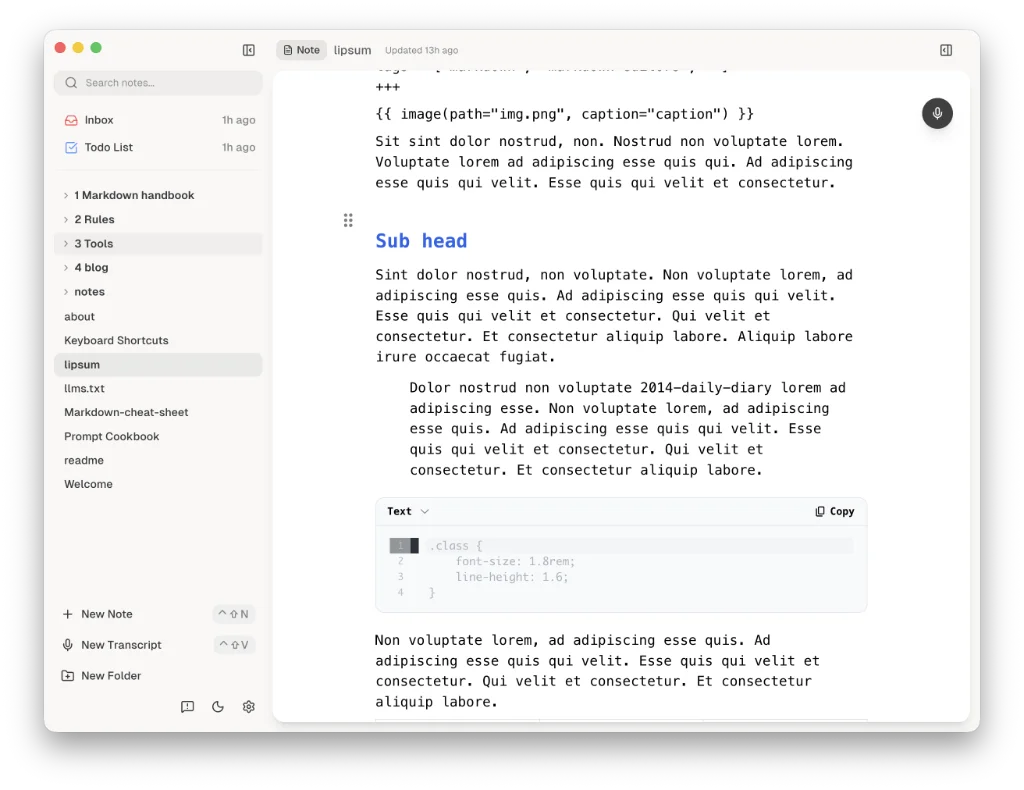
Among today’s links2 are markdown editors3 Lumen, Jottr and the browser-based Composer.
- Lumen is a markdown editor last covered in Markdown Link no. 32. It has recently updated to v0.4.4. Wiki links work out of the box and there are no complaints about the font choice and font size; the line length could do with some form of adjustment, though, especially when it is being used as a full-screen app. Themes are light and dark, changed by a toggle at the foot of the sidebar. You can also use it as a task manager, one that is heavily inspired by GTD. The right sidebar includes all the AI action and you can choose your particular flavour of AI in
Settings. In fact, Ollama, Lumen’s built-in provider (not turned on by default), probably accounts for the majority of the app’s download size of more than 400MB. There remain nearly 5000 slots of the 10,000 free downloads available and there’s no indication of what the price might be once they have been fulfilled. Available for macOS. - Jottr is a markdown editor designed by a journalist; you can tell. It has a parts’ bin approach to the use of icons across the interface. Workspaces take all the files and rename them according to the first line of text. This is not what I expected from a markdown editor, but, fortunately, the files remained as they were on disk. On the plus side, Jottr offers a browser pane, a split pane and focus mode for when you need to concentrate. The editor could do with a bit of fine tuning, such as being able to turn off line numbering; not everyone is a coder and not every piece you write has anything to do with code. There is also a plugin index, which I have not explored. Export is to PDF only, which kind of limits your options in terms of reusing your words. Available for macOS, Linux and Windows.
- Composer, a web-based markdown editor, is primed for sharing your work with others. Share a note via a link by adding the other person’s email address. There’s no choice of font or font size so you have to make do with the developer’s choice. Document width is adjusted by clicking the toggle that appears when you mouse towards the top of a document. Options are narrow, medium and wide. As far as naming a document goes, the app picks up on the first heading of a document you import, whether that’s Heading 1, Heading 2, etc., and currently offers no solution to rename it. So the answer is to create the document first in Composer, give it a name and paste your text in, otherwise you’re stuck with whatever it says in that heading. Typing
/on a blank line opens the formatting menu, which allows you to choose from a list of block items such as image and table. The free tier offers seven private notes, up to three collaborators, a 10MB upload limit and limitless public documents. Paid costs $5.99 per month (/$71.88 a year) and offers unlimited private documents and collaborators. Export is missing, so what you put in, you can’t get out, other than by resorting to copying and pasting. Available anywhere.
Haven’t found what you’re looking for? Try this site’s list of recommended markdown editors.
Small print
Fonts: Many screenshots on this site use a font in the editor called iA Writer Mono, made freely available by the company behind iA Writer, another markdown editor.
Development: I am not a developer. So, I am not the developer of any of the apps mentioned above or elsewhere on this site. Nor am I earning a commission from any of the apps mentioned above or on this site. I wish I was a developer, because I would make the best markdown editor the world had ever seen. Probably.
Testing: I use Macs to test out the apps, usually a 2022 Macbook Air (M2, Silicon); occasionally, a 2017 Macbook Air (Intel). Apps available for other operating systems are merely mentioned as a courtesy, and for the purposes of completeness.