The Markdown Link no. 36
Links that attracted my attention recently
An occasional post1 from The Markdown Handbook.
Among today’s links2 are markdown editors3 Obsidian, Marka.md, Nota Bene and MXmarkedit. We also look at Tableflip, a solution that makes creating tables in markdown less of a chore.
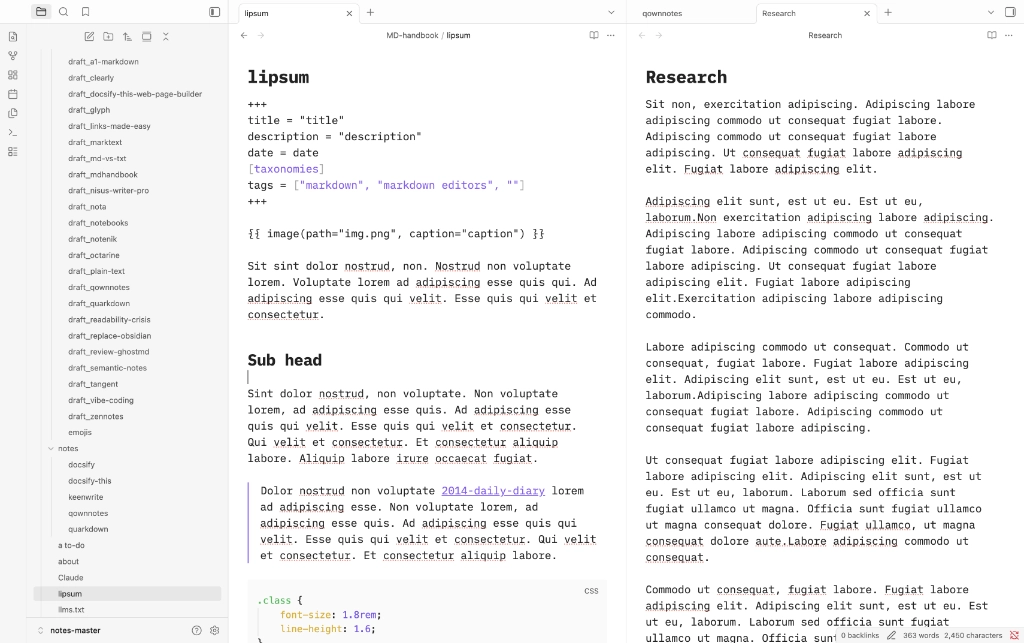
- Obsidian remains the ‘daddy’ for many users, despite only being around since March 2020. Obsidian is not open source, despite many of its disciples’ beliefs. For those who want to find out more, here’s an explanation of why Obsidian isn’t open source, where the company’s CEO explains: “File over app is a philosophy: if you want to create digital [artefacts] that last, they must be files you can control, in formats that are easy to retrieve and read.” Many markdown editors support files in .md, or even .txt formats, not only Obsidian. Good things about Obsidian first then: the split editor allows you to edit one document while using another for reference, font choice, font size, line-height and editor width are all covered, although the latter doesn’t offer enough flexibility in my opinion. It is simple to use (if you keep it as an editor), but gets really – and I mean ‘really’ – complicated once you start switching on the plugins. Take, as an example, the popular Tasks plugin. It comes with its own barely fathomable wiki for documentation; learning to use the Task plugin is almost like having to learn an app within an app. Who knew tasks could be so complicated? There are many simpler plugins available, of course, but the Tasks plugin, although it works well once configured, is a complex beast. You can also get carried away with plugins in Obsidian to the point where it starts to slow the app. Confession: I fell into that trap. When it gets to that stage, it’s time to look at switching some, or all, of the plugins off. Quite why Obsidian has gone down this route with plugins is anyone’s guess. But things can get messy if you allow them to.
- Tableflip simplifies the creation of markdown tables whatever flavour of markdown your app happens to support, as long as it supports the creation of tables in the first place. It costs £9.99, a small price to pay, I think, if your job or schoolwork involves a lot of table work. Here’s a video that shows how it works. There’s a demo available with a 30-day free trial. Available for macOS (10.15 Catalina and newer). My suggestion, start the trial – I have a free tables solution that may interest you next time out.
- Marka.md is a markdown editor with calm writing and reading modes. Quite why the editor doesn’t float to the centre of the screen, as it does in reading mode, is beyond me. Export is to PDF only. The font, font-size, line-height and editor width are what they are, which is to say whatever the developer set them at. So there’s no thought given to user choice, whether you suffer from an eye condition or not. That said, I like this editor a lot. A great deal of thought has gone into creating Marka.md. I only wish the developer would give users a choice over some aspects. Available for macOS, Linux and Windows.
- Nota Bene is a web-based privacy-first note-taking app. It uses the headless rich text editor Tiptap as an engine. No idea how to save, export or do anything remotely file related. Your notes stay 100% on your device is all I can say and there’s no tracking or data collection.
- MXmarkedit is a markdown editor available on GitHub. Download the zip and, once decompressed, you have a fully working app signed by Apple. It has a number of tools that enable the optimisation of documents for presentations or bibliographies. This single-pane editor offers preferences to adjust the look to your liking. Features-wise it has all the main markdown elements covered – inline code, code blocks, tables, links, images and footnotes – but there’s no sidebar that shows other notes. It’s only when exporting the files, say in .docx format, that you will need the support of a second app, Pandoc.
Haven’t found what you’re looking for? Try this site’s list of recommended markdown editors.
Markdown news
- Typemill 2.23.0, the lightweight, open-source CMS, is a small release with one major change: the AI integration with Kixote has been refactored, allowing you to connect with Claude, ChatGPT and any service with an OpenAI-compatible API. That opens up local or self-hosted solutions like Ollama, LM Studio or Opencode.
- Cyberwriter, first covered in Markdown Link No. 26, has updated to 3.0, with a slew of updates that include a more compact editor width.
- Marknote 1.6 is out. The release has a number of new features, including support for subfolders, an optional background blur effect, note search in the command bar and emoji auto-completion. Linux only.
Small print
Fonts: Many screenshots on this site use a font in the editor called iA Writer Mono, made freely available by the company behind iA Writer, another markdown editor.
Development: I am not a developer. So, I am not the developer of any of the apps mentioned above or elsewhere on this site. Nor am I earning a commission from any of the apps mentioned above or on this site. I wish I was a developer, because I would make the best markdown editor the world has ever seen. Probably.
Testing: I use Macs to test out the apps, usually a 2022 Macbook Air (M2, Silicon); occasionally, but rarely, a 2017 Macbook Air (Intel). Apps available for other operating systems are merely mentioned as a courtesy, and for the purposes of completeness.