The Markdown Link no. 18
Links that attracted my attention recently
An occasional post from The Markdown Handbook.
Among today’s links are markdown editors Instant Markdown Notes, MarkNote and EdgeMark, a scientific and technical publishing system known as Quarto, and Trillium, a Notion-like app that throws the whole cart at you.
- Instant Markdown Notes is an app designed for taking notes throughout the day, with its quick-capture behaviour. It also supports notes in plaintext. Instant Markdown Notes is on sale for $5 at the moment, although that moment may have passed.
- Marknote lets you create rich text notes and easily organise them into notebooks. You can personalise your notebooks with an icon and accent colour, making it easy to distinguish between them. Your notes are saved as markdown files in your documents folder, making it easy to use them outside of Marknote as well as in the app.
- Quarto is an open-source scientific and technical publishing system. It allows you to publish articles, presentations, dashboards, websites, blogs, and books in HTML, PDF, MS Word, ePub, and more. Write using Pandoc markdown, including equations, citations, crossrefs, figure panels, callouts and advanced layout. Combine Jupyter notebooks with flexible options to produce production output in a variety of formats.
- Trillium is like Notion. Instead of giving you a basic set up and allowing you time to learn your way around, build up to it, Trillium throws everything at you and makes you work backwards. Don’t know about you, but it’s sensory overload for me: journal, tasks, notes, Mermaid diagrams, canvas, mindmap, geomap; you name it, Trillium can do it.
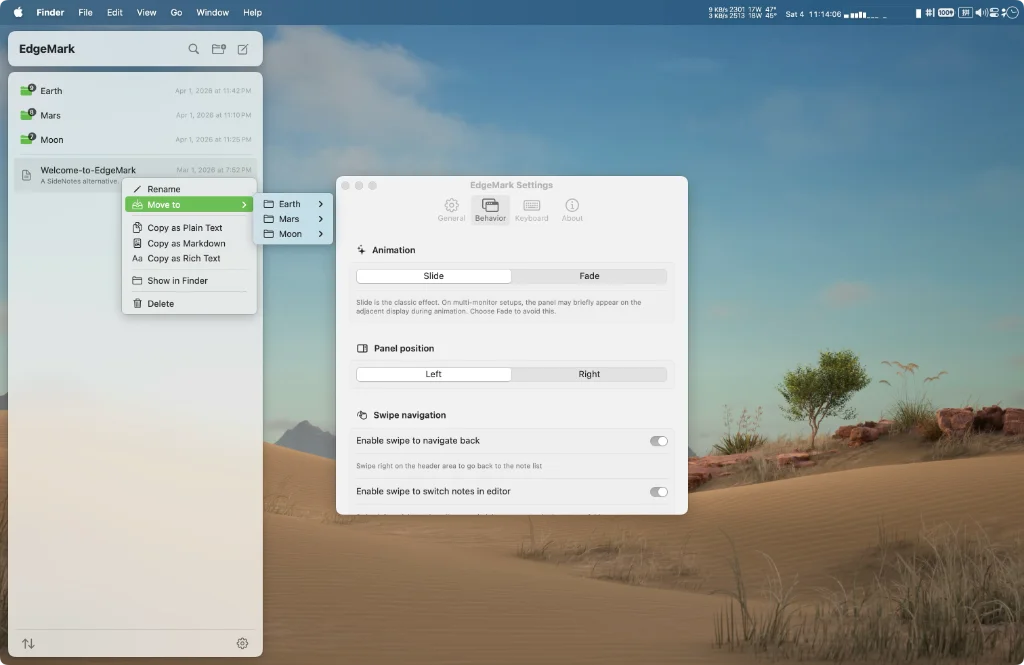
- EdgeMark for macOS exists because of SideNotes, as mentioned in Markdown Link No. 14, a notes panel that slides in from the screen edge. While SideNotes is closed-source and paid, with no way to customise, or verify what it does with your data. Therein lies the point: where exactly is your data? I could find the backup notes (not in an obvious readable format) but I could not find where it stored my notes, even with the iCloud option turned on. Your notes are buried away in an sqlite instance. EdgeMark is the open-source alternative: lightweight, markdown-first, and yours to inspect, modify and extend. Your notes are plain
.mdfiles on disk — open them in any editor, sync with any service, back them up however you want. You can choose where to store them, even open an existing folder of notes. Use cases are many: a quick notes option, entirely separate from your main notes, a separate folder within your existing notes system, or set the source folder so you can access existing notes. I know which I’m going to be using, EdgeMark.