The Markdown Link no. 14
Links that attracted my attention recently
An occasional post from The Markdown Handbook.
Among today’s links are markdown editors Sidenotes, Grape and CollabMD, a wiki tool called Otterwiki – you have got to love the choice of name – and BlogMore, a static site generator developed entirely in Copilot.
- Otterwiki is a minimalistic wiki powered by python, markdown and git. If you like the wiki approach, you’ll like Otterwiki, even if only for the name.
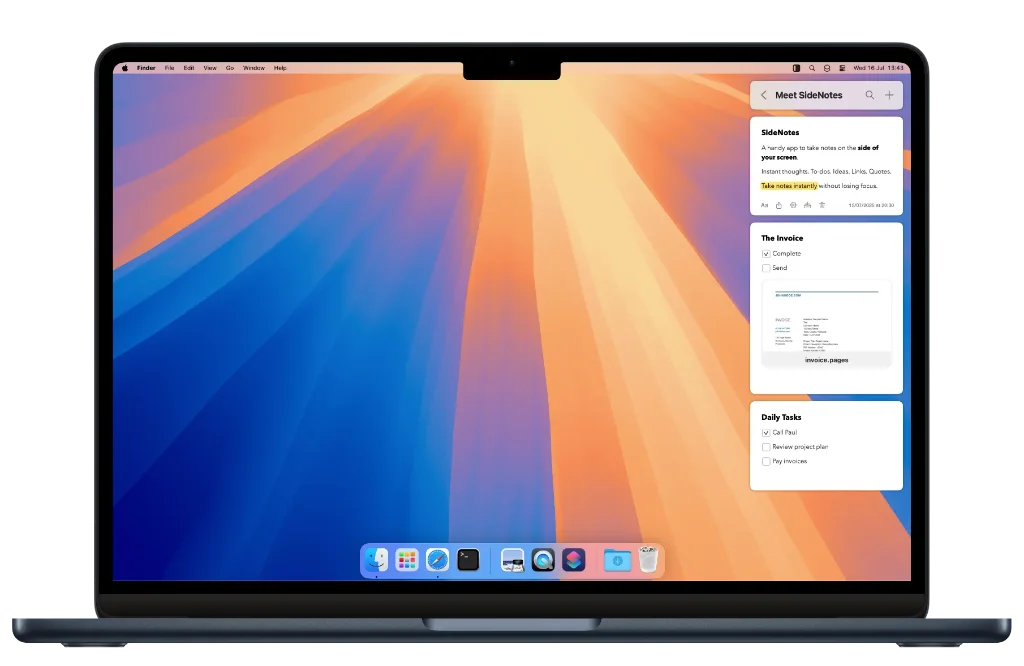
- Sidenotes is a markdown app. It is similar in many respects to Append, a toolbar app, with the exception that it slides in from the side of the screen. Sidenotes is available for macOS ($19.99, after 30-day trial) and iOS ($9.99). Markdown, plain text or code. It automates your backup system or you can choose to save files elsewhere. Some may find this useful.
- BlogMore’s developer says “[it] is an experiment in using GitHub Copilot to develop a whole project from start to finish. As such, almost every part of this documentation was generated by Copilot and what it knows about the project. Please keep this in mind.” BlogMore is a static site generator; it requires Python 3.12 or later.
- Grape is a markdown editor available for free offline or with Lifetime ($29) or Pro ($19 per month) licenses that give you access to AI Chat if that’s your leaning. Code blocks and math are included as well as all the usual markdown syntax. But there’s no font choice, no font-size choice, no reading-width choice, and all your notes are stored in an sqlite database, which, kind of, defeats the portability aspect of markdown. Yes, you can export your notes and backup the database, but what if your database corrupts – everything you’ve written since your last backup is lost.
- CollabMD is described as “having realtime collaboration for markdown folders, diagrams and git-backed docs, without migrating your files”. It supports Excalidraw, Mermaid, draw.io or PlantUML diagrams, and can save as a markdown or .base file. CollabMD is self-hosted with the option to chat to collaborators or entire teams.