WordStar: the pre-Microsoft Word days
WordStar was the hand I was dealt when I started working with computers back in the 1980s. It was also probably the cheapest word processor on the market, knowing my boss
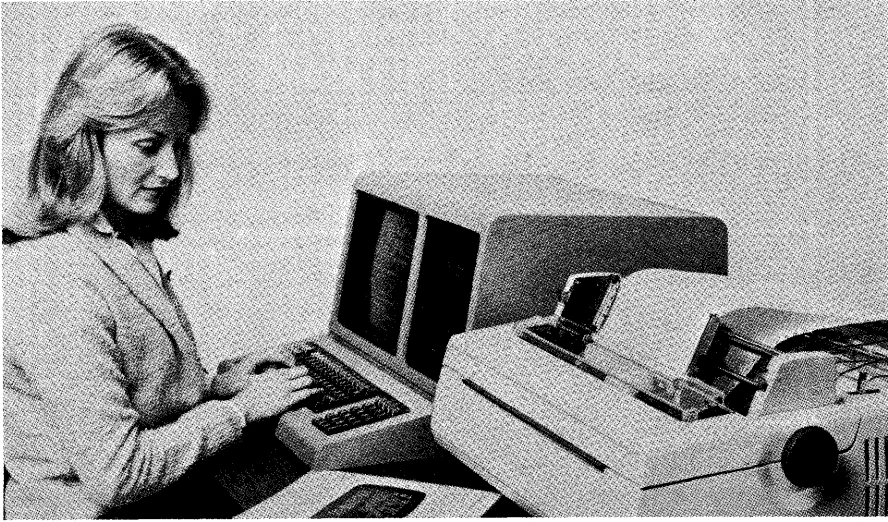
When I first used one of these new-fangled boxes, known as computers, it was back in the early 1980s while learning the Basic programming language at college. Beyond that I don’t remember much. But the first work computer I had was similar to the one above – dual floppy drive and all. It was also the first time I had encountered a word processor, WordStar, the arch competitor to Word Perfect at the time.
From the WordStar Training Guide:
The computer that you will be using for typing probably looks something like the one shown [above]. It has a keyboard almost identical to a typewriter keyboard, a video screen, and two or more slots to hold diskettes.
What I remember most about WordStar was saving my documents not with Ctrl-KD (Cmd-S wouldn’t arrive until later) but Ctrl-Alt-S for ‘Save As’ and then choosing ‘Text only’ from the options. That was because saving files entailed introducing ‘.doc’ into the equation, which caused all sorts of problems when we went to the typesetters. There were no such problems when files were saved as ‘Text only’ or plain text.
From Lesson 4 of the WordStar Training Guide came:
About every half hour or so, you should save a copy of the file you are working on.
All I can say is we lived in very trusting times. Or maybe that wasn’t the case, as is pointed out later in the training guide:
Never leave an unsaved file unattended while you are away from the keyboard.