The Markdown Link no. 66
Links to the best markdown editors, static site generators, CMS’s, and markdown viewers
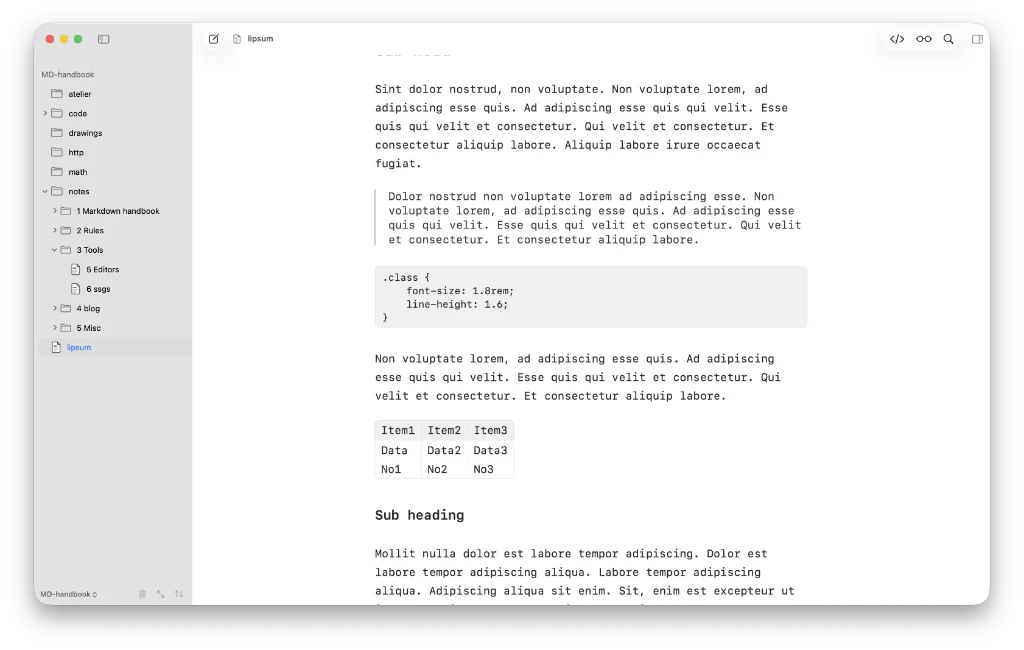
Among today’s links1,2 are markdown editors3 Dackel, a free notes app, floating notes editor Mote, and mdNotes, which is designed for iPad.
- Dackel is a native, free markdown editor. Its developer says: “I love Obsidian… [but] I always wanted a truly native macOS note-taking experience, with all the shortcuts you’d expect on a Mac.” I’d say many would agree on this point, but most won’t care either way. Editor width can be set anywhere between 480pt and 1080pt; 720pt works for me. There is a limited choice of fonts, but font-size and line spacing get their own controls. Daily notes and templates each get their own tab in settings, offering dedicated folders in which to file both. Dackel also handles maths and diagrams. And, Dackel, in case you were wondering, is a German variation of dachshund. Export is to PDF or HTML. Following discussions with its developer, Dackel may add more options in future. Available for macOS.
- Mote is a floating notes app that allows you to open your notes or transcribe meeting notes. Mote also renders the terminal in its floating window, so you can run any CLI without opening another window. Uses your own iCloud account to sync. Cost is $18.99 for a lifetime licence. Available for macOS.
- mdNotes is free, and everything you see stays free. First, I tested mdNotes on my MacBook Air, not the iPad, which the app has been designed for. So some of my comments may be considered unfair. On a MacBook I’m a lot more fussy about my markdown editors than I should be, but only you can be the judge of that. What I will say is that mdNotes has a nice feel about it, especially in split-screen mode. In edit mode it feels like it needs some control over the editor width on my MacBook, a feeling that would likely disappear on the iPad. The settings are all about the iPad, naturally. There’s no way to change the font used – monospace – or its size. Tables are nicely rendered in Live preview. Share documents as markdown, Word, Word with TOC (table of contents), PDF or PDF with TOC. Pro adds more places to keep your notes, and the Apple Watch (£7.99); for both apps, including MyTodo.Txt, which does what its name suggests, the cost is £11.99. Available for iOS.
Haven’t found what you’re looking for? Try this site’s list of recommended markdown editors.
Small print
Fonts: Many screenshots on this site use a font in the editor called iA Writer Mono, made freely available by the company behind iA Writer, another markdown editor.
Development: I am not a developer. So, I am not the developer of any of the apps mentioned above or elsewhere on this site. Nor am I earning a commission from any of the apps mentioned above or on this site. I wish I was a developer, because I would make the best markdown editor the world had ever seen. Probably.
Testing: I use Macs to test out the apps, usually a 2022 MacBook Air (M2, Silicon); occasionally, a 2017 MacBook Air (Intel). Apps available for other operating systems are merely mentioned as a courtesy, and for the purposes of completeness.