The Markdown Link no. 58
Links to the best markdown editors, static site generators, CMS’s, and markdown viewers
An occasional post1 from The Markdown Handbook.
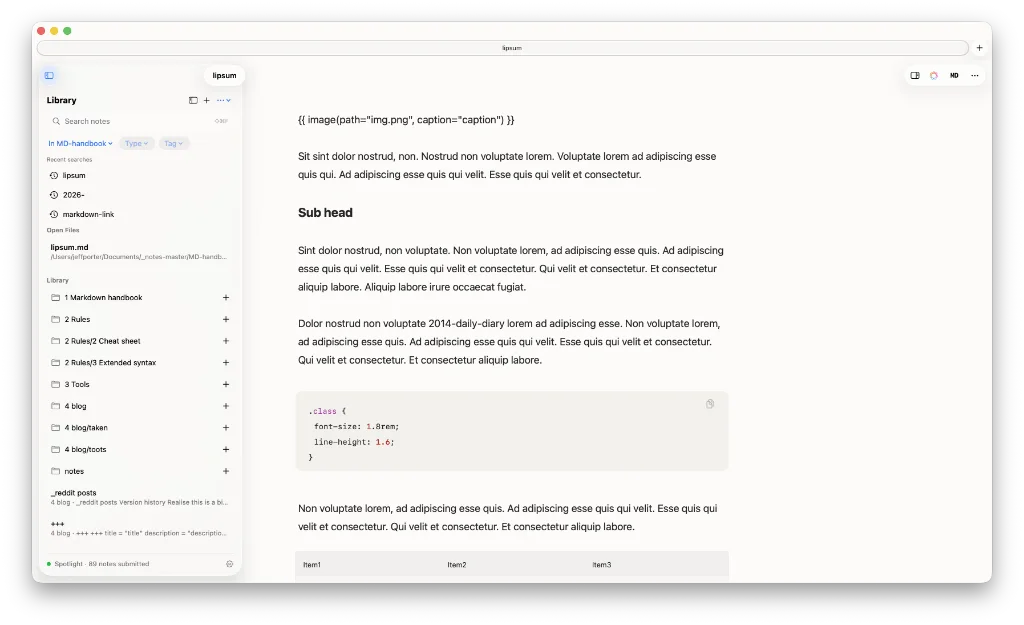
Among today’s links2 are markdown editors3 Markify and Mark O Down, plus there’s a quick look at Tiny Little Office, a free suite of tools that’s currently in beta.
- Markify is a free markdown editor. It offers the rendered page and raw markdown view, with left and right sidebars. The left sidebar contains your library, the right an outline and links. There’s also an AI inspector overlay. Font choice is limited and there is no font-size adjustment. There are a bunch of useful shortcut keys to memorise in
Settings. Type / to insert a block, such as a table, image or heading. Available for macOS. - Mark O Down is a free and open-source WYSIWYG markdown editor. You edit headings, bold text, lists, links, images, tables and badges directly, and the file on disk stays in raw markdown. Wiki links, despite the claims of the developer, don’t work for me. Even after checking the box for wiki links on opening a workspace. Nor does it offer any choice of font or the ability to change font size, although the developer said this is to be addressed in a future release. What it does support is table of contents; simply type
[[toc]]. There’s also a folder tree; reveal/hide it with ⌘⇧B. There is full documentation; remember to replaceCtrl, where mentioned, withCommandif you are on a Mac. Available for macOS, Linux and Windows. - Tiny Little Office is not a markdown editor, just for a change, but I thought I’d share it with you anyway. It offers a suite of office-type applications, comprising, among other items, a word processor, outliner, presentation builder, spreadsheet, drawing tool and calendar. The word processor, for instance, allows you to open and export in a range of formats, including PDF, text (TLO), data (JSON), Word (DOCX), markdown, rich text (RTF) and web page (HTML). The spreadsheet offers a similar range of options. The beauty of this is that you can paste in a Word doc and download it as a markdown file. The app remains in beta for now. Available everywhere.
Haven’t found what you’re looking for? Try this site’s list of recommended markdown editors.
Small print
Fonts: Many screenshots on this site use a font in the editor called iA Writer Mono, made freely available by the company behind iA Writer, another markdown editor.
Development: I am not a developer. So, I am not the developer of any of the apps mentioned above or elsewhere on this site. Nor am I earning a commission from any of the apps mentioned above or on this site. I wish I was a developer, because I would make the best markdown editor the world had ever seen. Probably.
Testing: I use Macs to test out the apps, usually a 2022 Macbook Air (M2, Silicon); occasionally, a 2017 Macbook Air (Intel). Apps available for other operating systems are merely mentioned as a courtesy, and for the purposes of completeness.