The Markdown Link no. 54
Links to the best markdown editors, static site generators, CMS’s, and markdown viewers and readers
An occasional post1 from The Markdown Handbook.
Among today’s links2 are markdown editors3 Mdnb, Anql and Ekphos, plus there’s Chronicle, a book authoring tool.
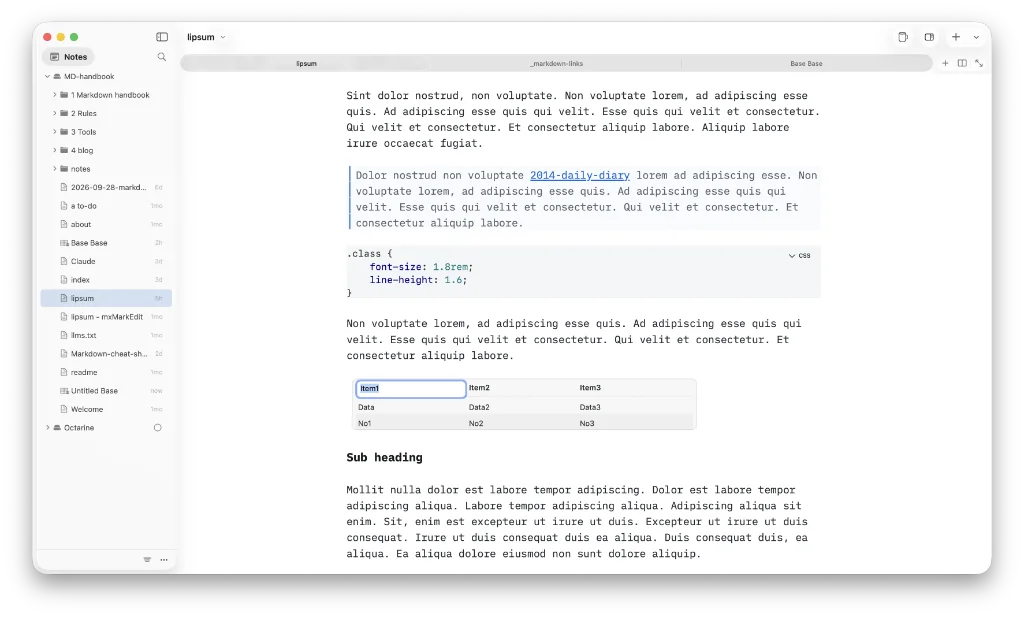
- mdnb is a free, file-based markdown editor that leaves your notes on disk, usable by any editor. Slash (
/) brings up the format menu, ⌘P searches your workspace and ⌘⇧P brings up the command palette. There are 10 themes to choose from. Enter focus mode by clicking on a mug of coffee – aah, I love a mug of coffee – or by selecting ⌘⌥F. Sorting your notes is taken care of via an icon at the bottom of the sidebar; the three dots menu next to it accesses GitHub. Plus there is a useful split feature which allows you to have a second document open at the same time, such as for research. Open as many vaults as you like. Import from Obsidian, Notion or Apple Notes, or clone from GitHub. If you have moved away from GitHub, there is also the option to clone from any Git url, available inSettings. There are plenty of ways to get notes into Mdnb, but no way to export them as yet. Bases is an additional feature, but I am unsure of its usefulness in its present state. There’s also a companion app for iOS called Git Sync Markdown Notes: mdnb. Full documentation is provided. Available for macOS. - Anql is a simple, database-driven markdown editor. Anql handles math and diagrams. It offers a limited font choice (selectable by highlighting all or parts of the text), and no control over the line length. You will have to be happy with the developer’s choice in this respect. Export via markdown or
anql’s own format, aziparchive containing the document JSON and all embedded assets. Anql’s developers say they are working on adding other export formats. Available for macOS, Linux and Windows. - Chronicle is free and open source. You download the app from Gumroad, which allows you to pay anything from $0 to whatever you want. It’s a writing tool similar to Scrivener. Drag and drop
.mdfiles. Export (via the Publish menu at the top of the screen) choosing your format from EPUB, Shunn, PDF, markdown, plain text, html or the browser. But Chronicle is a complicated beast, drawing in characters and places, so I am not even going to try to attempt to a full review here. Judge for yourself. Available for macOS, Linux and Windows. - Ekphos is a lightweight, fast, terminal-based markdown research tool built with Rust. It is in the early stages of development, so expect breaking changes and bugs in pre-releases.
Haven’t found what you’re looking for? Try this site’s list of recommended markdown editors.
Small print
Fonts: Many screenshots on this site use a font in the editor called iA Writer Mono, made freely available by the company behind iA Writer, another markdown editor.
Development: I am not a developer. So, I am not the developer of any of the apps mentioned above or elsewhere on this site. Nor am I earning a commission from any of the apps mentioned above or on this site. I wish I was a developer, because I would make the best markdown editor the world had ever seen. Probably.
Testing: I use Macs to test out the apps, usually a 2022 Macbook Air (M2, Silicon); occasionally, a 2017 Macbook Air (Intel). Apps available for other operating systems are merely mentioned as a courtesy, and for the purposes of completeness.