The Markdown Link no. 53
Links to the best markdown editors, static site generators, CMS’s, and markdown viewers and readers
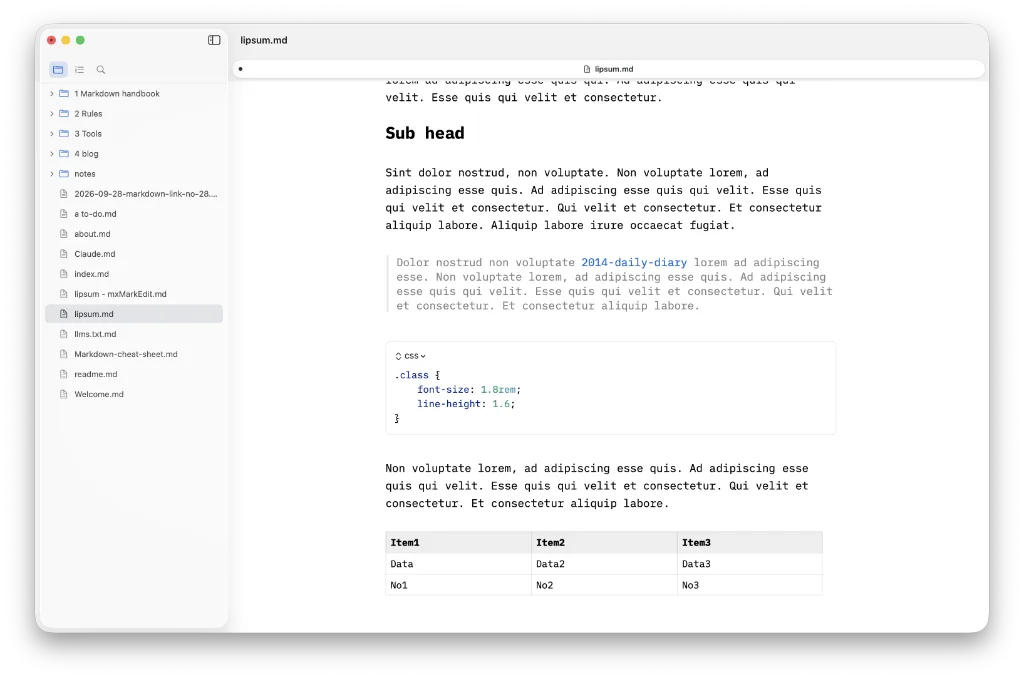
An occasional post1 from The Markdown Handbook.
Among today’s links2 are markdown editors3 Yay, Antalogy and em.
- Yay is a free and open-source, native markdown editor. It offers a rich editor or raw markdown with syntax highlighting, a code editor that has full width text. Tables are treated nicely and kick pipes into touch. Live preview, side by side doesn’t worked from the rich editor, but does from the code editor. There are diagrams and math, with no plugins needed. A few fixes needed, such as the live preview and the dark themes rendering of multiple tabs needs the unselected tabs to read out of a dark background, and wiki links don’t work. Other than that it would be useful to be able to disguise or hide the front matter. Export is to HTML, PDF, docx, epub and kfx, the latter being an eBook created in Kindle format. Available for macOS.
- Antalogy is free, as far as I can tell, and you might be wondering if Word is back to haunt you (or not). Anyone who has used Word will recognise the ribbon immediately. I guess for some the idea is familiarity breeds familiarity rather than contempt. Even the logo bears some similarity with Word. It’s a bit of a Frankenstein’s monster is Antalogy. AI is permitted via a key. Opens
docxfiles, saves asmd. Navigation recognises headings applied via the drop-down formatting bar,Heading 2for instance. But does not recognise a heading if you apply it with markdown style,## Some heading. Bold and italic applied using the usual markdown syntax are similarly not recognised. There is no control over line-length to give you a readable width. That said, achieving all this in an app that weighs only 14MB has got to be applauded. Word itself weighs in at a massive 1.3GB. There is also zero telemetry, you’ll be pleased to know. Available for macOS and Windows. - em is a markdown writer and editor. From what I can see it does most things right (untested). Word count and read time are optional. Every edit is backed up to iCloud and versioned automatically. You can export in multiple formats but it doesn’t say which. em’s developer, Justin Cox, said: “Find an app that works for you, and then stick with it, even if it’s not absolutely perfect. Determine your bare minimum feature set and find something that does that. I require a distraction-free environment, Markdown support, local storage with device syncing, and the ability to export to multiple formats.” That’s good advice. Cost is £19.99, but if it had given the option of buying a licence after a trial, I could have given you a more detailed review. Available for macOS and iOS.
Haven’t found what you’re looking for? Try this site’s list of recommended markdown editors.
Small print
Fonts: Many screenshots on this site use a font in the editor called iA Writer Mono, made freely available by the company behind iA Writer, another markdown editor.
Development: I am not a developer. So, I am not the developer of any of the apps mentioned above or elsewhere on this site. Nor am I earning a commission from any of the apps mentioned above or on this site. I wish I was a developer, because I would make the best markdown editor the world had ever seen. Probably.
Testing: I use Macs to test out the apps, usually a 2022 Macbook Air (M2, Silicon); occasionally, a 2017 Macbook Air (Intel). Apps available for other operating systems are merely mentioned as a courtesy, and for the purposes of completeness.