The Markdown Link no. 52
Links to the best markdown editors, static site generators, CMS’s, and markdown viewers and readers
An occasional post1 from The Markdown Handbook.
Among today’s links2 are markdown editors3 Edmund, MarkSchrift and Encribe.
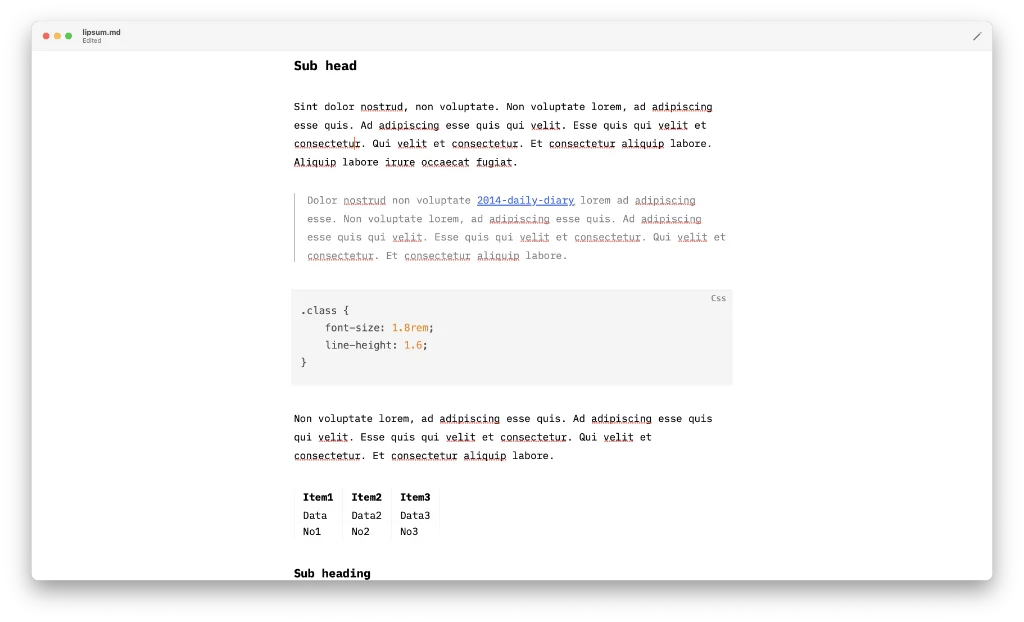
- Edmund is a free and open-source markdown editor. Every now and then I come across an app that does things just right. Edmund is one of those apps. The developers have nailed it. It takes a minimal approach, it’s file-based and offers an inline live preview (⌘E). Edmund is for those occasions when you must concentrate on your writing. You can hide the toolbar (it is shown in the screenshot above). Tables are supported. It can handle basic maths off the bat plus there’s the ability to add KaTeX support via an extension. Mermaid diagrams are supported in the same way. The one thing that doesn’t appear to work is wiki links. I have asked the developer for a fix. Export is to PDF, html, plain text, rich text or markdown with embedded images. Available for macOS (14 Sonoma or later).
- MarkSchrift is a free markdown editor. The paid side to the app simply adds collaboration ($9.99), which might prove useful for working on team projects. There are settings to control the font and line-length (reading width). Front matter is described in the menu as ‘manifest’; if a document doesn’t have any front matter, you can add it via the manifest command. MarkSchrift has an alternative way of adding tabular data. It certainly beats pipes, colons and equals signs. Export is to PDF, html or Word, and you can use the
Save asmenu item to save a document as markdown or plain text. Available for macOS and iOS (Testflight). - Encribe’s website is so busy it gave me a headache. It’s like its developers have been given a magic box and decided to use all the tricks available to them. Either that or they have taken something extra special. They are selling a piece of software that’s supposed to be a quiet space. Encribe claims to ‘keep bots and AI slop away using keystroke biometric verification’. What? The idea with AI is that it has to be invited in, usually, although not always, through the use of a key. Finally, it starts to make sense with: “Encribe gives teachers [the] necessary tools to verify authenticity, reducing plagiarism and ensuring academic integrity.” And, eventually, a sense of calm returns with “Write with the simplicity and power of markdown. Style your work using a clean, distraction-free context editor that lets you focus on the words, not the syntax.” Encribe is a word processor; that’s all you need to know. Oh, nearly forgot, it’s not ready yet. You are expected to sign up.
Haven’t found what you’re looking for? Try this site’s list of recommended markdown editors.
Small print
Fonts: Many screenshots on this site use a font in the editor called iA Writer Mono, made freely available by the company behind iA Writer, another markdown editor.
Development: I am not a developer. So, I am not the developer of any of the apps mentioned above or elsewhere on this site. Nor am I earning a commission from any of the apps mentioned above or on this site. I wish I was a developer, because I would make the best markdown editor the world had ever seen. Probably.
Testing: I use Macs to test out the apps, usually a 2022 Macbook Air (M2, Silicon); occasionally, a 2017 Macbook Air (Intel). Apps available for other operating systems are merely mentioned as a courtesy, and for the purposes of completeness.