The Markdown Link no. 48
Links to the best markdown editors, static site generators, CMSes, and markdown viewers and readers
An occasional post1 from The Markdown Handbook.
Among today’s links2 are markdown editors3 Margin, Symiosis, Cordelia, Minstrel and Schreibor.
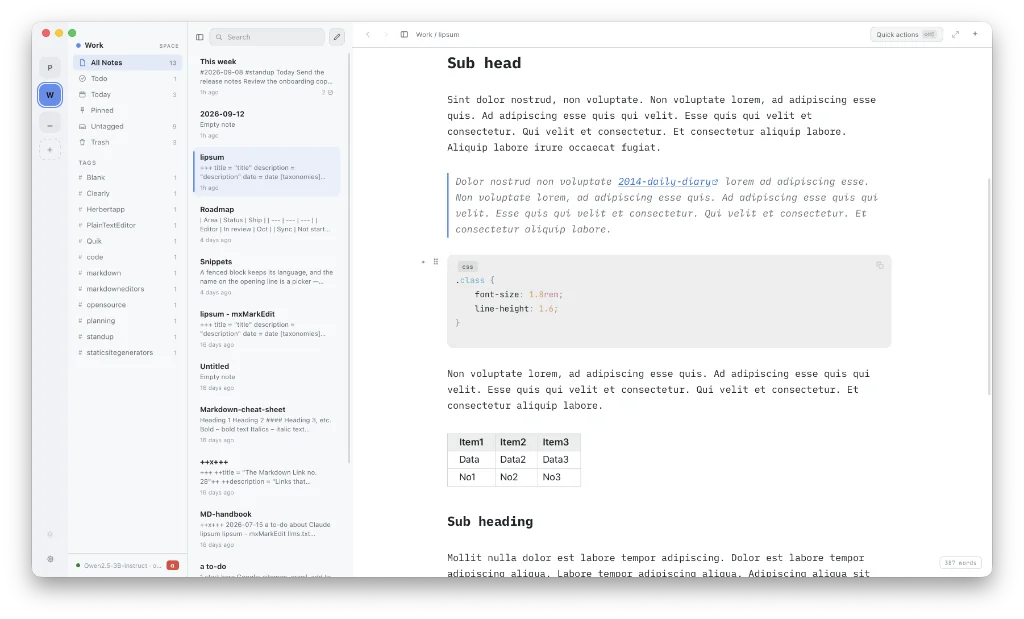
- Margin looks like a promising markdown editor, currently in the early stages of development where it remains free for the time being. Open the command palette with the shortcut ⌘⇧O. Format your text using the almost ubiquitous slash command (
/). Workspaces or spaces can be added in the leftmost sidebar. Subfolders are not recognised, so if you want access to a folder, you’re going to have to add it as a ‘Space’, which could prove unwieldy if you have lots of folders. The developer says he is working to address this for a future release. Wiki links work but there’s no handy popover listing files as you type, so you better remember that filename you were trying to connect to. Tasks work too. Margin gives you control over the font, font size, line height and line length (editor width). Export to markdown, rich text, html or PDF. There are far more themes than necessary for markdown editor in my opinion. AI gets a look in via your own API key or the installation of a local model. Available for macOS - Symiosis is a free and open source markdown editor inspired by Notational Velocity. For many, it will take some getting used to, not least the fact that the notes’ list is always visible above the note being edited, similar to the way messages can be configured to display in email apps, with the message list above and the currently selected message displayed below. One of Notational’s successors, nvALT, had this approach, but it gave you the option of switching to a sidebar layout if you preferred. The other reason that Symiosis may take some getting used to is that it is keyboard driven. But I like this approach. It dispenses with the need for toolbars and formatting bars, and keeps your hands where they should be, on the keyboard. Available for macOS, Linux and Windows.
- Cordelia, available via Testflight, is a single-pane markdown editor. It offers no preview pane, no split view and no rendered view, with the formatting living in the page as you type it. Settings are minimal, allowing you to adjust the font size, line height and enable a spell check. Tabs allow you to switch documents if you want and your export options are to PDF and html. Cordelia is about as barebones as a markdown editor can get, which should appeal to some. Currently free, there is no mention as to whether the developer will request payment at some point in the future. Available for macOS and iOS.
- Minstrel is a place to write books. It allows you to use markdown syntax or a formatting bar. Justified text is what you get, with no option to range left, which would be preferable. The free version gives you the minimal editor experience, with your projects being your own, export to docx, PDF and EPUB, and spell-checking. There are various options for payment, including a $20 lifetime licence, which adds chapter synopses, writing statistics, dialogue analysis, expert reviews and automatic note organisation. Start with the Lite (free) version and see if that fulfils your needs. Available for macOS.
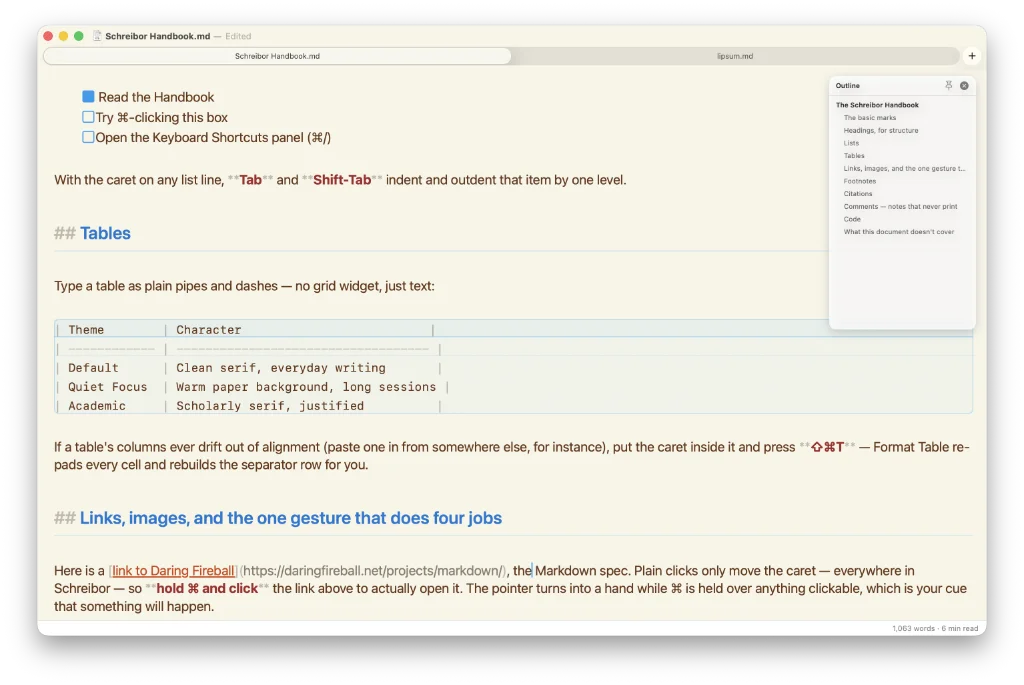
- Schreibor, despite sounding like a piece of furniture from the 1970s, is a markdown editor. It is available for macOS via TestFlight. There’s no control over line-length (see my views on the editor width or line length). It is built based on the author’s own experience in colloquial and academic writing, rather than as a writer or journalist might consider appropriate. Export to html, print to PDF and publish to Pandoc.
Not what you’re looking for? Try this site’s list of recommended markdown editors.
Small print
Fonts: Many screenshots on this site use a font in the editor called iA Writer Mono, made freely available by the company behind iA Writer, another markdown editor.
Development: I am not a developer. So, I am not the developer of any of the apps mentioned above or elsewhere on this site. Nor am I earning a commission from any of the apps mentioned above or on this site. I wish I was a developer, because I would make the best markdown editor the world had ever seen. Probably.
Testing: I use Macs to test out the apps, usually a 2022 Macbook Air (M2, Silicon); occasionally, a 2017 Macbook Air (Intel). Apps available for other operating systems are merely mentioned as a courtesy, and for the purposes of completeness.