The Markdown Link no. 45
Links to the best markdown editors, static site generators, CMSs, and markdown viewers and readers
An occasional post1 from The Markdown Handbook.
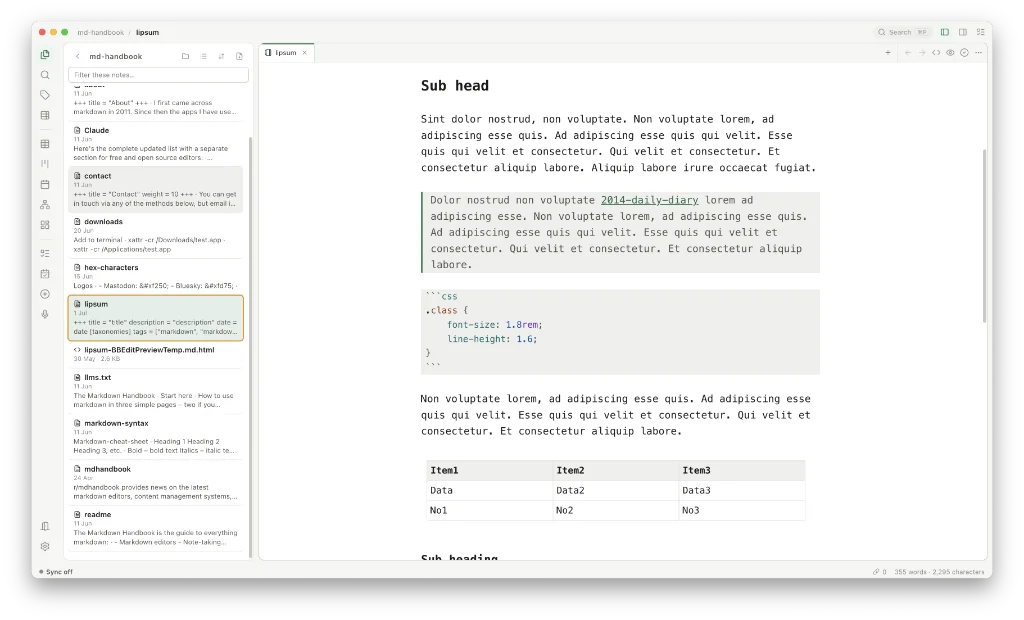
Among today’s links2 are markdown editors3 Pellet, Lumina and Shoin, an editor for the terminal.
- Pellet is a markdown editor that combines your calendar with tasks. It started as an Obsidian plugin and evolved into the fully fledged markdown editor that’s linked here. It offers a live preview editor where the markdown renders in place with the source underneath, wiki links and backlinks, graph, table and kanban, calendar and Gantt, canvas and whiteboards, PDF and EPUB, and handwriting. This last renders Apple Pencil pages on the iPad. Pencil offers a fourteen-day free trial; thereafter it costs $20 for a lifetime desktop licence, which comes with free mobile apps. Access to AI is by choice. Available for macOS, Windows, Android or iOS (Testflight).
- Lumina is a lightweight editor for markdown and plain text files. The app is free to download and open source under the GNU General Public License v3.0. Its developer is VP for a company called Automation Anywhere, “the leader in agentic process automation”; you can imagine how this app was put together. Settings wise, it offers no control over the font, font size or editor width. You can export to html and PDF, and it supports Mermaid diagrams. Available for macOS and Windows.
- Shoin is markdown editor for the terminal. It offers modal editing, live formatting and one centred column of text and nothing else. Works on .md and .txt files only. This is not a code editor.
Haven’t found what you’re looking for? Try this site’s list of recommended markdown editors.
Small print
Fonts: Many screenshots on this site use a font in the editor called iA Writer Mono, made freely available by the company behind iA Writer, another markdown editor.
Development: I am not a developer. So, I am not the developer of any of the apps mentioned above or elsewhere on this site. Nor am I earning a commission from any of the apps mentioned above or on this site. I wish I was a developer, because I would make the best markdown editor the world had ever seen. Probably.
Testing: I use Macs to test out the apps, usually a 2022 Macbook Air (M2, Silicon); occasionally, a 2017 Macbook Air (Intel). Apps available for other operating systems are merely mentioned as a courtesy, and for the purposes of completeness.