The Markdown Link no. 43
Links that attracted my attention recently
An occasional post1 from The Markdown Handbook.
Among today’s links2 are markdown editors3 Smolpad, Downright and MaiD.
- Smolpad lives in your menu bar. One click or a keystroke wakes it up. Write down a thought or tear off the panel (drag it away from the menu bar) and you have a window that feels more permanent. Every note is saved as a plain
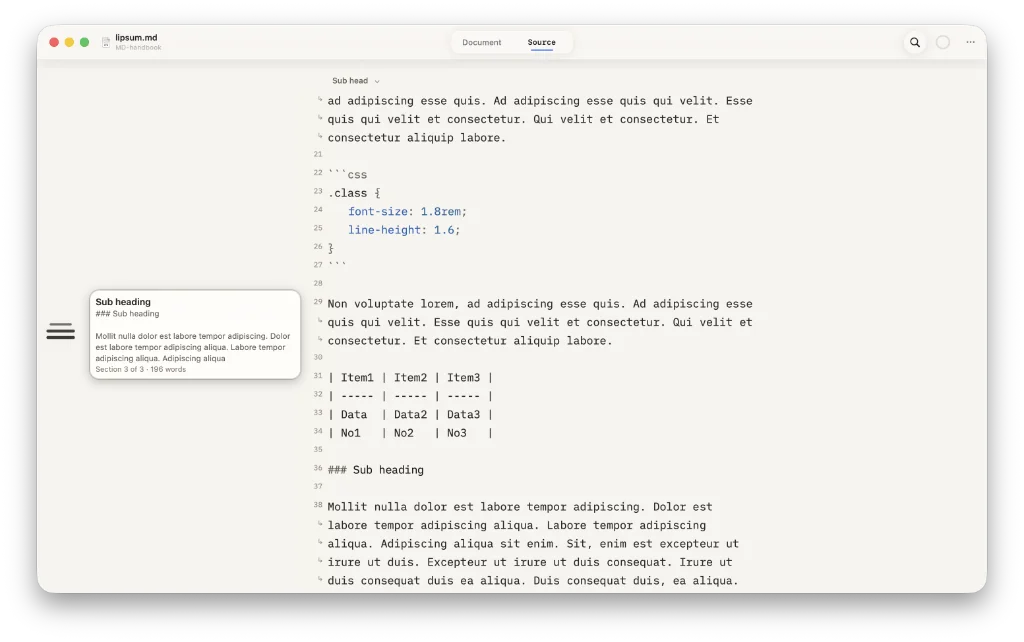
.mdfile. There are some useful settings that give you control over such things as the font and font size, word count, sync (via iCloud or Dropbox), and displaying or hiding the formatting bar. Pricing is charged from free (up to 10 notes), through $1.49 per month and $14.99 a year; shell out $29.99 to get a lifetime licence. Available for macOS and iOS. - Downright is a free and open-source markdown editor. It is single-pane, which delivers the source and the preview at the touch of a button. Downright offers some useful typography settings, including font, font size, line height and editor width. The sidebar, if you can call it that, displays an outline rendered as bars. Hover over a bar and it displays the document as a popup. Click and it moves to that heading. It purposely does not display a file tree. Whether that’s a good thing is up to you, but I find it quite annoying not to be able to switch notes easily. A file tree would help me do this. Available for macOS (14.0+).
- MaiD is a two-pane markdown editor: editor on the left, preview on the right. It opens a document at a time and adds further documents as new tabs. Outline is available in the sidebar. There is no way to open a folder or folders of documents. There is no means to adjust the font, font size, editor width or anything else you might not like about the presentation. Type is tiny in its present state. For all those shortcomings, MaiD is a native markdown app and priced at only $0.99. Available for macOS (14, Sonoma or later).
Haven’t found what you’re looking for? Try this site’s list of recommended markdown editors.
Small print
Fonts: Many screenshots on this site use a font in the editor called iA Writer Mono, made freely available by the company behind iA Writer, another markdown editor.
Development: I am not a developer. So, I am not the developer of any of the apps mentioned above or elsewhere on this site. Nor am I earning a commission from any of the apps mentioned above or on this site. I wish I was a developer, because I would make the best markdown editor the world had ever seen. Probably.
Testing: I use Macs to test out the apps, usually a 2022 Macbook Air (M2, Silicon); occasionally, a 2017 Macbook Air (Intel). Apps available for other operating systems are merely mentioned as a courtesy, and for the purposes of completeness.