The Markdown Link no. 42
Links that attracted my attention recently
An occasional post1 from The Markdown Handbook.
Among today’s links2 are markdown editors3 Many Notes, HermesMarkdown, OpenMarkdown and FoldNotes. We also look at Volumen, a file-based markdown blog engine.
- Many Notes is a markdown note-taking web application designed for simplicity. It uses a database to power its features, but your files are also saved in the filesystem, giving you full control over your folder structure and ensuring easy access and portability. Many Notes lets you choose to keep all your files in one folder or organise them into separate folders. Requires Docker.
- HermesMarkdown has some decent settings offering you control over the font size, line-height and editor width. It’s a shame then that Hermes requires you to sign in to Google Drive, then use Chrome, Edge or Brave browsers to set up a local vault. It fails if you try to set up a local vault using any other browser. Happy with this set up? Give it a try. I wasn’t.
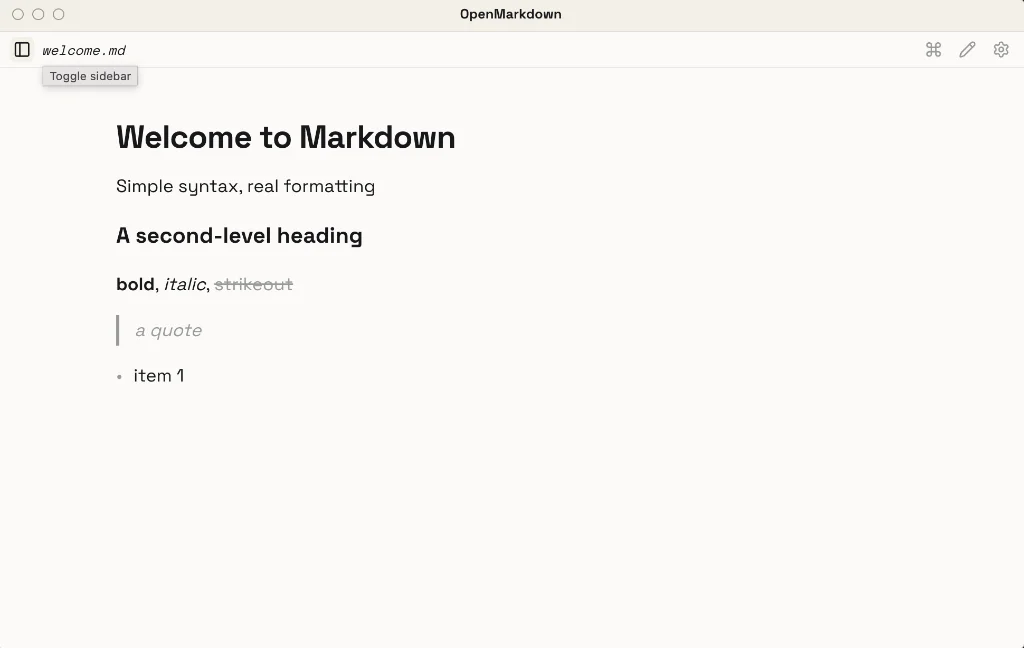
- OpenMarkdown is described as a local-first markdown editor built for you and your agent. Well, that’s if you need agent. It works perfectly well without one. OpenMarkdown is lightweight and single-pane, but it has a cluttered file tree with your folders and files crammed together as if there’s no space beyond the container. Settings are limited, with none available to adjust the font, font size, line height or editor width, assuming you are unhappy with the existing presentation. Available for macOS (Intel and Silicon), Linux and Windows.
- Volumen is a small, file-based markdown blog engine built in Python. Posts are plain text files with TOML frontmatter and no database. It ships with a JSON API, a server-rendered admin with a visual editor, RSS/JSON feeds and full-text search.
- FoldNotes is a native notes app for macOS (beta) and iOS. Fold sections to focus on what matters. Manage tasks inline. Sync everything with iCloud. FoldNotes allows you to collapse any heading or indented block. See your document’s structure at a glance, then dive into the section you need. You can pay for FoldNotes via a lifetime licence or by subscription, price to be announced. I have tried out the iPhone version of the app and it works well. It will be interesting to see what comes out for desktop. Available for macOS and iOS.
Haven’t found what you’re looking for? Try this site’s list of recommended markdown editors.
Markdown news
- HyperMarkdown. Combine Commonmark, with a number of features from other flavours, add a splash of its own syntax, and you get HyperMarkdown. To all intents and purposes, it’s simply another flavour of markdown to add to an already burgeoning list of different takes on the same theme. Difference is you get an
.hmdextension to add to the already burgeoning list of file extensions. Do we need yet another type of markdown? No, we don’t. - Zettlr has moved its documentation from MkDocs, a markdown-based, documentation framework, to a new framework known as VuePress. Both are static site generators. The documentation remains unchanged, but you, the user, get a faster experience.
Small print
Fonts: Many screenshots on this site use a font in the editor called iA Writer Mono, made freely available by the company behind iA Writer, another markdown editor.
Development: I am not a developer. So, I am not the developer of any of the apps mentioned above or elsewhere on this site. Nor am I earning a commission from any of the apps mentioned above or on this site. I wish I was a developer, because I would make the best markdown editor the world had ever seen. Probably.
Testing: I use Macs to test out the apps, usually a 2022 Macbook Air (M2, Silicon); occasionally, a 2017 Macbook Air (Intel). Apps available for other operating systems are merely mentioned as a courtesy, and for the purposes of completeness.