The Markdown Link no. 40
Links that attracted my attention recently
An occasional post1 from The Markdown Handbook.
Among today’s links2 are markdown editors3 Editorial and SiYuan, Eziwiki, a lightweight wiki generator, KovaMD, a presentation app, and Agenda, a note-taking app tied to your calendar.
- Editorial is a plain text editor for iOS with markdown support and a number of powerful automation tools. It was, and still is, the best markdown editor I have ever come across on iOS, especially on the iPad. But there is one major issue: its continuing reliance on Dropbox, especially after what was dubbed the Condoleezza effect; there were also Dropbox’s various security issues to contend with. For these reasons, plus the fact that its developer failed to adopt iCloud, I stopped using Editorial some time ago. As to the app itself, Editorial offers folding sections, snippets, templates, an in-app browser and beautiful typography; I could go on. Available for iOS, priced at £4.99.
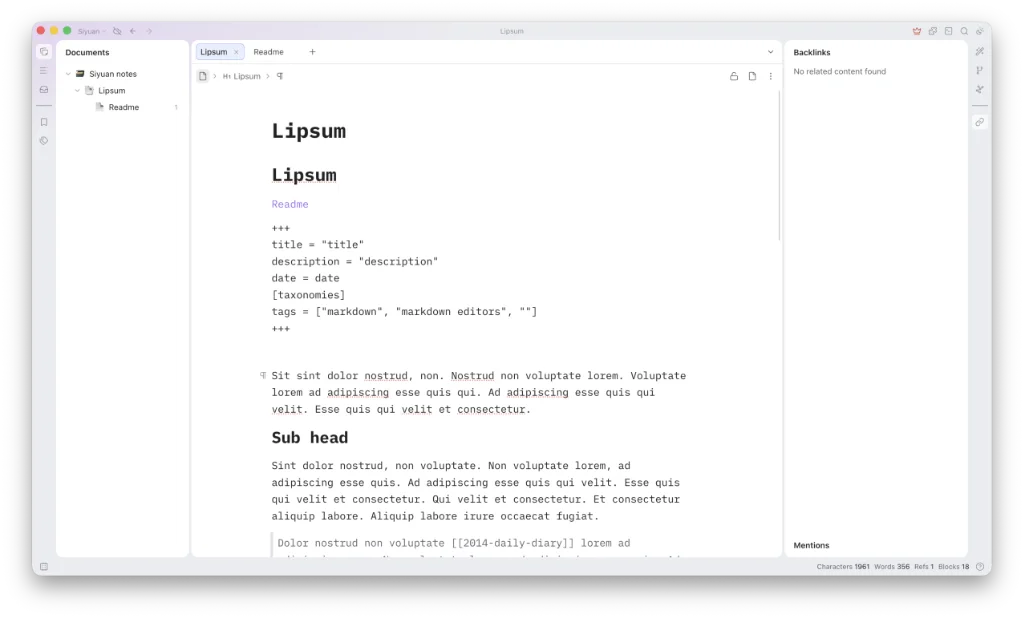
- SiYuan, a personal knowledge management system, supports fine-grained block-level reference and markdown WYSIWYG. It is similar to Logseq, another app that uses a database. It also brings to mind one person who had just lost six years of work after his Logseq database corrupted. His big plan: switch to SiYuan. He may well lose another bunch of notes a few years down the line. Don’t rely on databases, not without a good backup plan in place. Hell, don’t rely on file-based storage without having a good backup plan in place. There are lifetime subscriptions starting at free, while $64 gets you backup with S3 support and $148 gets the official data sync/backup. Available for macOS, Linux and Windows. There are also apps for Android and iOS, the latter available under TestFlight.
- Eziwiki is a modern lightweight wiki and documentation generator that is local and browser-based. It allows you to write content in markdown, configure navigation with TypeScript and deploy anywhere as static files. Node.js, 18.0 or higher, is required to install.
- KovaMD is free and open source desktop presentation app with no account required. A Kova presentation comprises a single markdown file, with slides separated by
---on its own line. There are 11 built-in themes, syntax highlighting, presenter notes (notes added to slides but hidden from the viewers), PowerPoint and PDF exports, Mermaid diagrams and math, so it sounds like a useful app to have to in your toolbox. Available for macOS, Linux and Windows. - Agenda is a date-focused note-taking app. You don’t get to choose the font unless you have paid for the app, so I’m afraid free users are stuck with Avenir. It allows you to copy notes as markdown, rtf, html and plain text, and export in a handful of other options, including PDF. One thing you will notice in the menus is that many of the features are tied into Agenda’s premium offering so there’s no way to access them without paying, which is standard fare for a paid app. But it costs £39.99 per year; yes, you read that right, per year. Available for macOS.
Haven’t found what you’re looking for? Try this site’s list of recommended markdown editors.
Small print
Fonts: Many screenshots on this site use a font in the editor called iA Writer Mono, made freely available by the company behind iA Writer, another markdown editor.
Development: I am not a developer. So, I am not the developer of any of the apps mentioned above or elsewhere on this site. Nor am I earning a commission from any of the apps mentioned above or on this site. I wish I was a developer, because I would make the best markdown editor the world had ever seen. Probably.
Testing: I use Macs to test out the apps, usually a 2022 Macbook Air (M2, Silicon); occasionally, a 2017 Macbook Air (Intel). Apps available for other operating systems are merely mentioned as a courtesy, and for the purposes of completeness.