The Markdown Link no. 38
Links that attracted my attention recently
An occasional post1 from The Markdown Handbook.
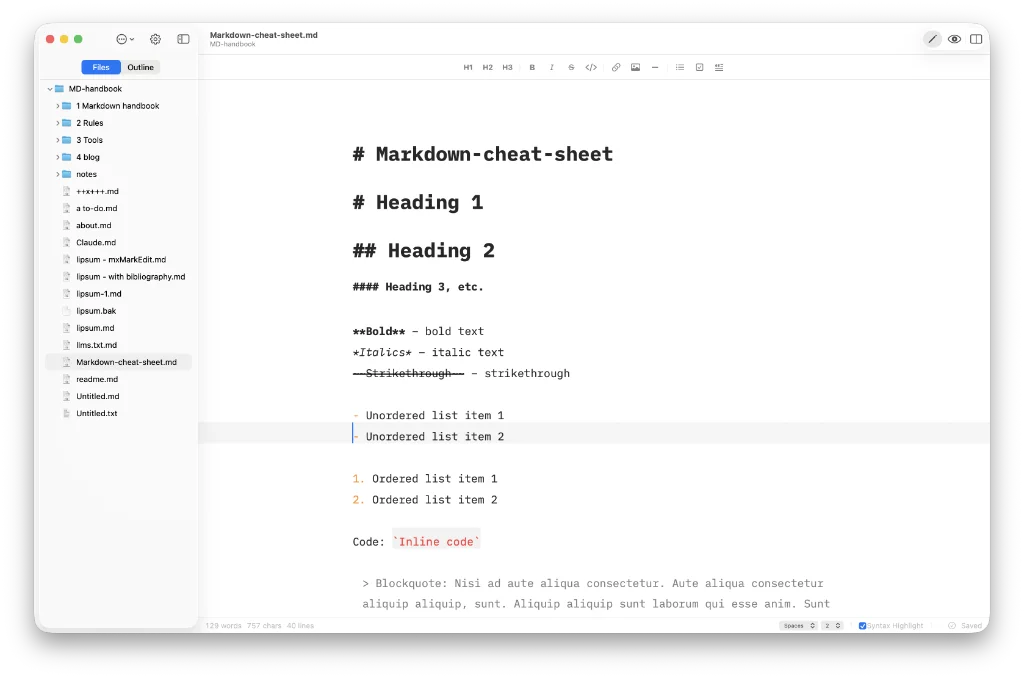
Among today’s links2 are markdown editors3 Ulysses, Markdown Mate, Bokuchi, Rook, Editxr and Marka.md.
- Ulysses is a great markdown editor. I used it for a number of years while I was editing books: big tomes, with many chapters and sections. The books generally arrived in .docx format, an entire book – all 40,000 to 120,000 words – in a single document (the authors were either trusting or naive, I’ll let you be the judge). I broke them down into chapters using Ulysses’ built-in
splitcommand, then joined them together again using the app’sstitchcommand. Using the split command allowed you to separate the chapters of a book, while stitch enables you to link them back together so they form a coherent book. There’s no font-size setting, which I can’t remember, so I can only assume that I used the app when I had 20/20 vision. I left Ulysses behind when Bear came along; it seemed to do things better for me, plus Ulysses was already heading down the subscriber route. My one regret was losing access to the split/stitch commands. The main downside with Ulysses, many will feel, is that it uses a ‘proprietary library’ – or database in plain English – to store notes. - Markdown Mate aims to create an Obsidian-like experience without the need for plugins. There are no wiki links, but tasks are enabled and you get direct access to your markdown files on your system, with no database involved. Views include editor only, split with preview, preview only, and you can hide the sidebar to focus on your work. If you really want a back-to-markdown feel you can also hide the toolbar and status bar. Export is to PDF and html only. Available for macOS (15.6+).
- Bokuchi is a free, open-source markdown editor that offers a useful focus mode for editing. It does not cater for wiki links, so you will not be using it as a knowledge database. Settings offer limited options to change the look and feel, other than the font-size. So other than creating your variables – snippets of information that you don’t want to type out in full every time – and maybe turning on extensions for math expressions (KaTex), Mermaid diagrams and slide presentations, you won’t be spending a great deal of time in there. Enable the extensions in
Settings > Advanced. Available for macOS, Linux and Windows. - Rook has a limited number of themes (a good thing), code blocks in 17 languages with syntax highlighting, rich text, including headings, lists, todos and code blocks, and, most important, it’s local and private. There’s no control over fonts, size, line-height or editor-width. It allows you to code in over 20 languages, including plain text, and a pro version is planned. Available for macOS (14+, Silicon and Intel).
- Editxr is a WYSIWYG markdown editor for the terminal. Features include live markdown rendering, with headings, emphasis, lists, task lists, tables, blockquotes, code blocks and YAML front-matter styled in place, while the line you’re editing stays plain text. There are 12 themes, from light or dark, incremental find, where
Ctrl+Fsearches as you type,Ctrl+Gsteps through matches and wraps, and html export. An AI assistant is integrated, but you can use any LLM you like. Available for macOS and Linux. - Marka.md is a free and open source markdown editor, with calm editing and reading modes. Font-size adjustment only works on the reading mode, which I find strange. Export is to PDF only, although you can copy markdown, which is generally destined for a chat with your assigned AI model (if you have happen to have added one). Available for macOS (13+), Linux and Windows.
Haven’t found what you’re looking for? Try this site’s list of recommended markdown editors.
Markdown news
- Collabora Online has released a major update, with AI-assisted workflows, new editing features, smarter document review and accessibility. Writer gains smarter review tools, markdown workflows, easier style access and better navigation for long documents. Calc adds per-user sheet views, more modern functions, table styles, calculated pivot functions with improved filtering and dropdown behaviour. Impress introduces a slides section and gets better font embedding.
- Silverbullet 2.9, the latest release, features a new experimental object graph visualisation, among other changes.
Small print
Fonts: Many screenshots on this site use a font in the editor called iA Writer Mono, made freely available by the company behind iA Writer, another markdown editor.
Development: I am not a developer. So, I am not the developer of any of the apps mentioned above or elsewhere on this site. Nor am I earning a commission from any of the apps mentioned above or on this site. I wish I was a developer, because I would make the best markdown editor the world has ever seen. Probably.
Testing: I use Macs to test out the apps, usually a 2022 Macbook Air (M2, Silicon); occasionally, a 2017 Macbook Air (Intel). Apps available for other operating systems are merely mentioned as a courtesy, and for the purposes of completeness.