The Markdown Link no. 33
Links that attracted my attention recently
An occasional post1 from The Markdown Handbook.
Among today’s links2 are markdown editors3 Notesnook, Caret and Melo. Plus there’s Presenterm, a terminal-based presentation tool, and GhostCue, a useful app for those who like to take notes while engaged – or not, as the case may be – in online meetings.
- Notesnook has a lot to like about it, but only having access to the free version it is difficult to tell. Many of the settings require a subscription, including markdown shortcuts. So typing
###will not create a Level 3 heading, but typing the shortcut, ⌘⌥-3, will. ⌘-/ and ⌘⇧-P bring up all the shortcuts you’re going to need. In fact, it’s more like a word processor in some ways, relying so heavily on mouse gestures rather than keyboard shortcuts. There’s no focus mode, as far as I can tell, so you can’t concentrate on writing by hiding the the notes list and sidebar. Export as PDF, html, markdown and plain text. Your files are locked away in a database, synced who knows where – I searched, it’s not made clear – and you get 50MB of notes for free, which will be eaten up quickly if you are a heavy image user. Subscription-only plans start at £1.50 per month, and there’s no lifetime option. Available for macOS, iOS, Linux, Windows, Android and online. - Presenterm lets you create presentations in markdown format and run them from terminal, with support for image and animated gifs, highly customisable themes, code highlighting and exporting presentations into PDF format, along with a number of other features.
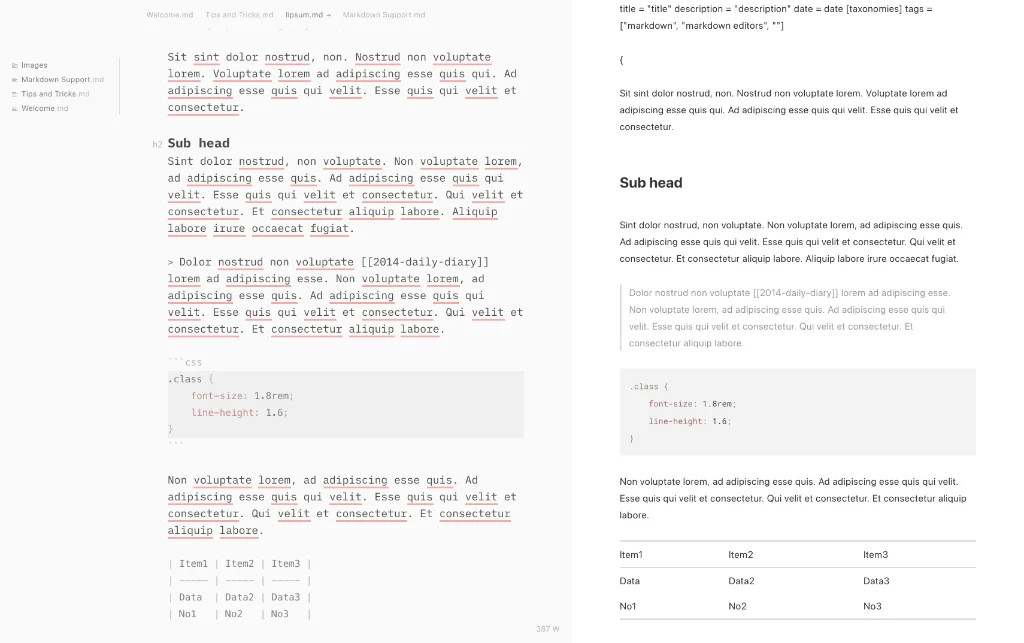
- Caret, from the creators of another beta app, Nota, is an open-source markdown editor with an alternative way of introducing settings – it uses a yaml file. Accessing keyboard shortcuts gives the same result. Most important, though, the preferences file covers all the bases I would expect of an app that called itself a markdown editor: font choice, size, line-height and editor width. Preview works on its own or side by side, but I was disappointed that it did not include wiki-links. Export your work to PDF or html; the option of opening in an external editor wouldn’t have hurt here. There is assistance with tables, lists, html, fences, links and emphasis. It also auto-completes file paths, emoji, code and html. Context actions (⌥ Enter) allow you to fix spelling, check tasks and visit links. Multiple cursors allow you to make ten edits at the same time, not one edit ten times. Worthy of being added to this site’s list of markdown editors. The cost is $29 and it is available for macOS. A word of warning: it has not been updated since 2017, but it works all the same and you can email the developers with your thoughts. They are still active.
- Melo is your “spatial AI workboard”. It brings all your notes, tasks, calendar and AI through a single native Mac app. Melo is a “spatial workspace that watches your hands, hears your voice and reasons across your entire board”, according to its developer. It is not unreasonably priced, costing $3.99 per month or £19.99 for a lifetime licence, but it’s up to you whether you want to stump up the cash for an app you can’t even try out. I grabbed the app from GitHub, but a window popped out in front to block me. I quit and tried to delete the app, but that failed. So I relaunched the app and used ‘Force Quit’, which was successful. Available for macOS.
- GhostCue is your place to write notes, while in an online meeting. It takes the form of a floating window, invisible to recordings, so they only see you, not what you’re writing. Free to $29.99 (founding member price), normally $49.99.
Small print
Fonts: Many screenshots on this site use a font in the editor called iA Writer Mono, made freely available by the company behind iA Writer, a markdown editor.
Development: I am not a developer. So, I am not the developer of any of the apps mentioned above or elsewhere on this site. Nor am I earning a commission from any of the apps mentioned above or on this site. I wish I was a developer, because I would make the best markdown editor the world has ever seen. Probably.
Testing: I use Macs to test out the apps, usually a 2022 Macbook Air (M2, Silicon); occasionally, but rarely, a 2017 Macbook Air (Intel). Apps available for other operating systems are merely mentioned as a courtesy, and for the purposes of completeness.