The Markdown Link no. 31
Links that attracted my attention recently
An occasional post from The Markdown Handbook.
Among today’s links1 are markdown editors Notenik and Yank Note. We also look at: Mini Diarium, an encrypted journal; Bean, a versatile word processor; and, Inc, an incremental note-taking system.
- Notenik is free and open source. It could be a brilliant app but for the crazy number of settings. I’m not just talking the settings you access via preferences, but the settings you can adjust via the menubar. Whether you want to waste a year of your life gradually working through the settings so they are right for your situation is up to you. Notenik allows you to format your notes using markdown, with support for footnotes, citations, definition lists and MathJax. Use wiki-style double bracket notation to link from one note to another and automatically generate a table of contents for a single note, or for an entire collection of notes. What it doesn’t do is allow you to adjust the editor width in full screen mode with everything tidied away. Available for macOS.
- Yank Note is an open-source markdown editor. It is AI-powered, supported using various LLM large models for automatic completion, generation and rewriting of text, “making writing easier, more efficient and more creative”. No readable line length in the editor here either. The free version has no access to AI, while the paid versions ($6 per year or $19 for a lifetime of support) give access to various models. Available for macOS, Linux and Windows.
- Mini Diarium is a local-only, encrypted journal. It is free, open source and “never touches the internet” (once you have downloaded it, that is). A password is required to create your first journal. It is a rich text editor with the option to export to markdown. Available for macOS, Linux and Windows.
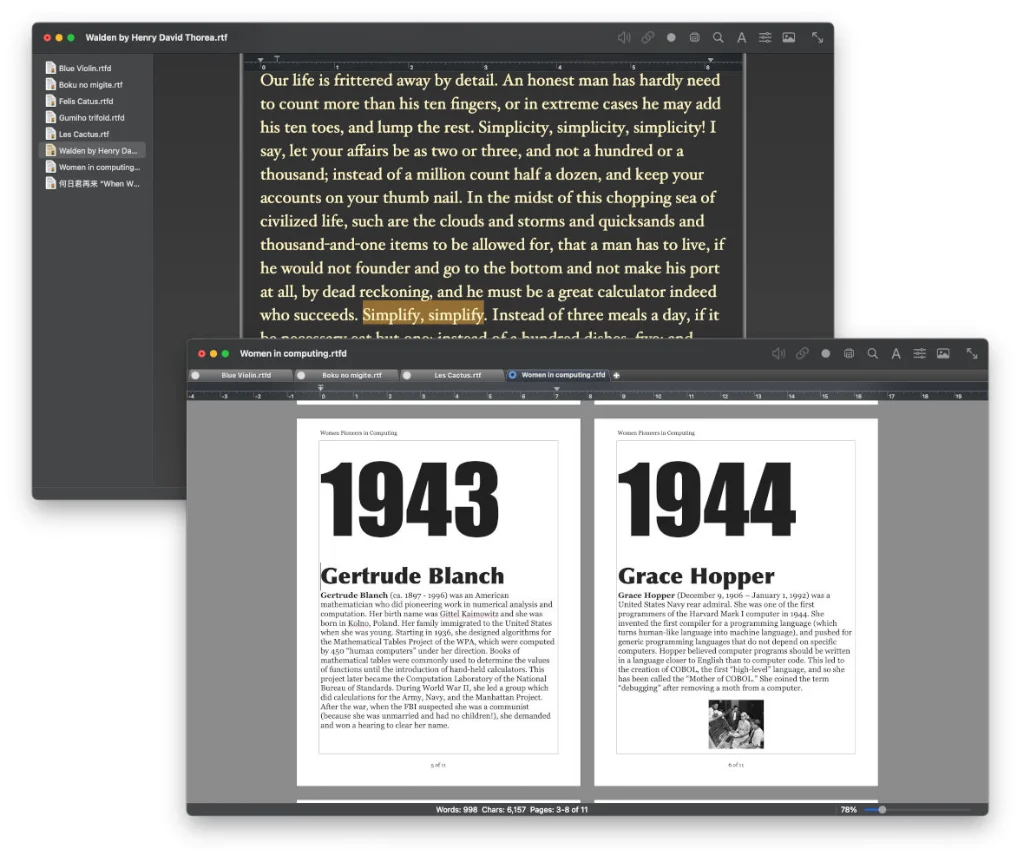
- Bean is a small, easy-to-use word processor that is designed to make writing convenient, efficient and comfortable. It starts up quickly, has a live word count and is “easy on the eyes”. There are various options for saving a file, including .rtf, .rtfd and .doc. You can also export it as a PDF and plain text. So, while markdown is not supported, ‘it is’ if you know what I mean. By adjusting the settings – turning off the ruler, removing the page border, margins and indents – you can achieve a remarkably clean-looking representation of plain text. Bean is available free of charge for macOS.
- Inc is an incremental note-taking system, an experimental, append-only notes app for growing a knowledge base by adding quick notes to a database of ideas rather than managing a complex collection of documents that change arbitrarily. The developer says: “I use Inc to manage the development of Inc itself, using the
inc.db.jsondatabase in this [GitHub] repository.” Available for macOS, Linux and ‘other platforms’.
Markdown news
- Developer Adam Lynch says there are a few things you should consider before adding markdown to your app.
1
The small print: I am not a developer. So, I am not the developer of any of the apps mentioned above or elsewhere on this site. Nor am I earning a commission from any of the apps mentioned above or on this site. I wish I was a developer, because I would make the best markdown editor the world had ever seen. Probably.