The Markdown Link no. 29
Links that attracted my attention recently
An occasional post from The Markdown Handbook.
Among today’s links are markdown editors Brainio, Tokyo Notes and Nota. Plus we look at MarkMello, a markdown viewer with a built-in editing mode, and Zim Wiki, which is described as a graphical text editor.
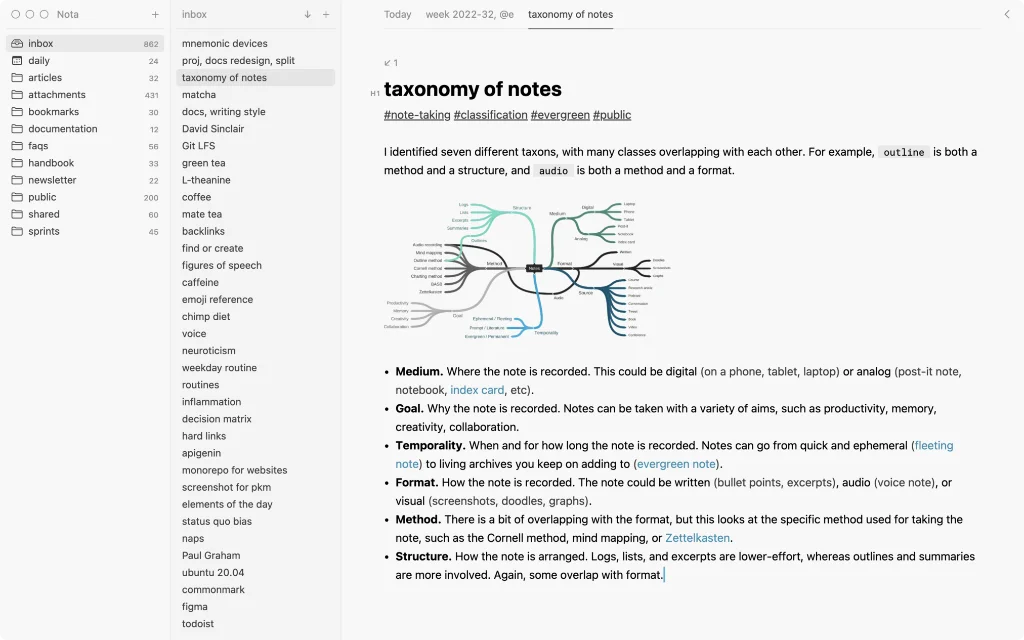
- Nota is a markdown app for all manner of things, from simple notes and tasks to articles, journals and wikis; it even has claims in the knowledge management field. There are no accounts, there’s no subscription and there’s no vendor lock-in. Features include an efficient markdown editor, diary, fuzzy matching, tasks and wiki links. Nota is still in beta, so if you download the app, it’s worth testing it on a few ‘training’ notes. It has a free download and is available for macOS, Linux and Windows for a one-off payment of $99 plus tax (down to $49 while in beta) or $75 per year for a business licence. A note from the developers says: “Development has slowed down, but [it’s] still going.” It’s that good, I am tempted to replace FSNotes, my current editor, with Nota.
- Markmello is a markdown viewer with an editing mode. The link takes you to the English, rather than Russian, version of the readme.md file on GitHub. Available for macOS, Linux and Windows.
- Tokyo Notes is a minimal GTK4 markdown note-taking app. GTK4, in case you’re wondering, is a widget toolkit. Requirements are Python 3, PyGObject, GTK4, Libadwaita and Libadwaita Icons. Available for macOS and Linux.
- Zim Wiki describes itself as a graphical text editor used to maintain a collection of wiki pages. Each page can link to other pages, simple formatting and images. Pages are stored in a folder structure and can have attachments. All data is stored in plain text files with wiki formatting. Various plugins provide additional functionality, like a task-list manager, an equation editor, a tray icon and support for version control. Zim Wiki can be used to store an archive of notes, keep a journal, take notes during meetings, organise task lists and draft blog entries. Available for Linux.
- Brainio is a free, markdown-powered notepad that turns your notes into visual mind maps. ‘Write, link ideas… and see the big picture’, whatever that big picture might be. Available for macOS or use the browser sign in. Once downloaded it still requires email or Google sign in; I’m not sure why.
The ‘big print’
I am not a developer. So, I am not the developer of any of the apps mentioned above or elsewhere on this site. Nor am I earning a commission from any of the apps mentioned above or on this site. I am simply trying to share some great as well as, some might feel, not-so-great apps.