The Markdown Link no. 23
Links that attracted my attention recently
An occasional post from The Markdown Handbook.
Among today’s links are markdown editors MarkText, Haxiom, NotepadMD, GitWriter and Aster, an open-source typesetting system called Quarkdown, and Blogr, a lightweight static site generator.
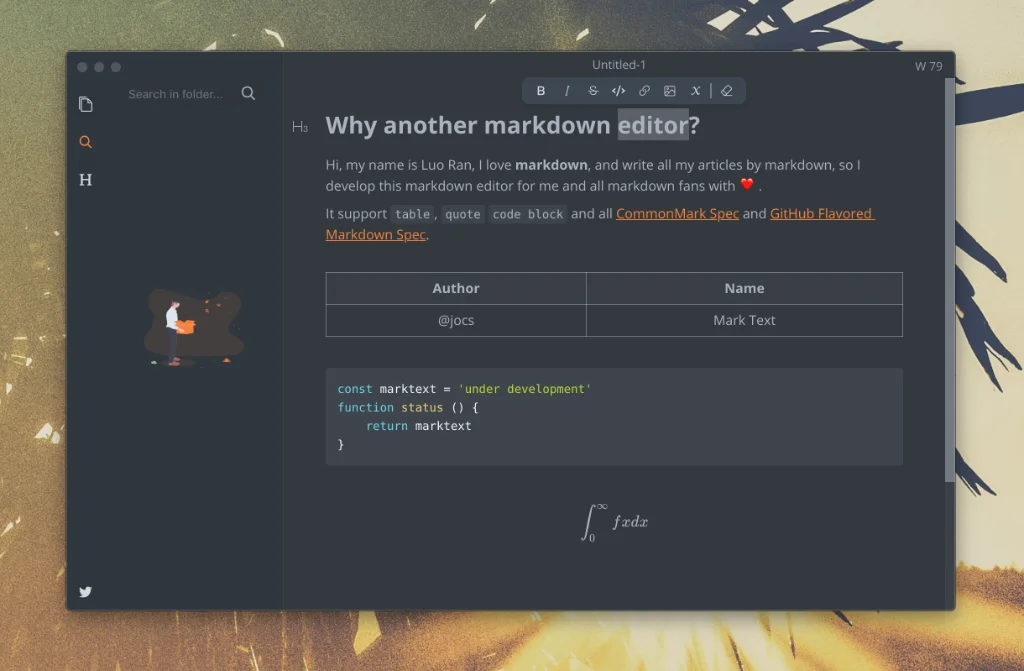
- MarkText is an MIT-licensed, open-source markdown editor. The latest version will always be downloadable for free from the GitHub release page. Features include WYSIWYG preview and a clean and simple interface, which gives a distraction-free writing experience. MarkText supports CommonMark, GFM and offers selective support for Pandoc. There are a number of editing modes, including source code, typewriter mode and focus mode, and it outputs to html and PDF files. There may be signs of life that the developer has come back this project, which has been moth-balled for the past three years. Aside from the latency seen on start-up and a few other minor issues, this is the perfect editor as far as I can see. Available for Linux, macOS and Windows.
- Blogr is a lightweight static site generator built in Rust for creating and managing blogs. Write in markdown, preview with the built-in terminal editor and deploy to GitHub Pages with a single command.
- Quarkdown is a free and open-source typesetting system that combines markdown with LaTeX. Whether you are writing a research paper, a quick report, a company-wide wiki, class notes or preparing slides for a presentation, Quarkdown can handle it.
- Haxiom is a free online markdown editor that uses AI to organise your team’s knowledge. Transform your messy wiki to a unified knowledge base connected directly to your GitHub markdown workflow. Free for up to three team members and 30 documents, with monthly charges thereafter.
- NotepadMD is a WYSIWYG block-based editor that renders markdown as you type. Features include tables, Mermaid charts, code blocks, callouts, themes and shortcuts. Available for Windows, Linux and is “coming eventually” to macOS.
- GitWriter offers version control for your words, allowing you to collaborate while tracking all changes. It allows you to start on your computer and continue on your phone. Can be downloaded for free on iOS, and is coming soon to Android.
- Aster is a markdown editor built in Rust. Features include live markdown rendering, support for tables, footnotes, strikethrough and task lists, a document outline in the sidebar, and lightweight markdown syntax highlighting in the editor. Available for macOS, both Silicon and Intel. Note that the download for Silicon Macs didn’t work for me, even right-clicking to open, as suggested by Aster’s developer.