The Markdown Link no. 21
Links that attracted my attention recently
An occasional post from The Markdown Handbook.
Among today’s links are markdown editors Versowriter, Flutter and Colibri, slides from markdown app Deckdown, and Sitepins, a CMS for your non-technical clients. Plus Will Ranjan-Churchill walks us through his process for paring Obsidian back to the bone.
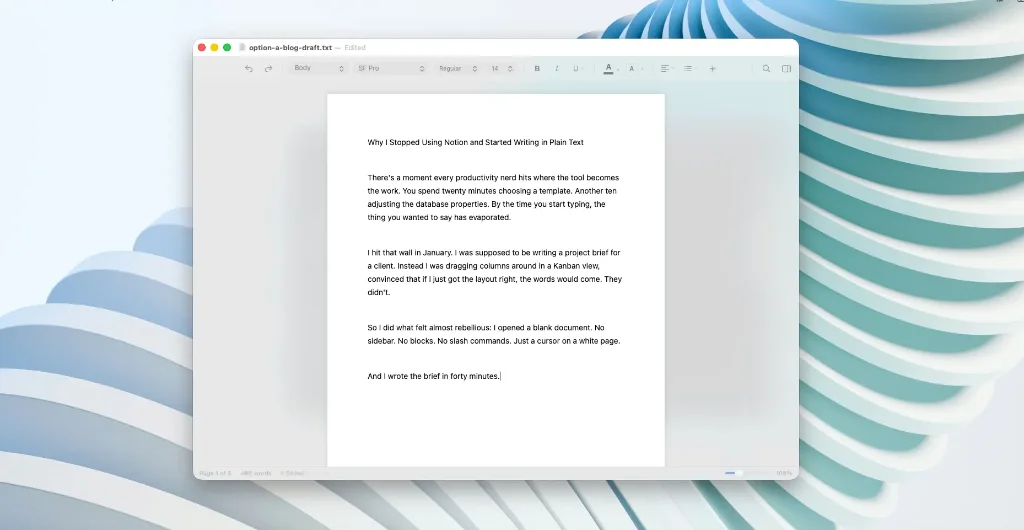
- Versowriter is a minimalist editor built for macOS; it is similar in many ways to Byword, which has been around for over 15 years. It is a one-time fee app, so there’s no subscription model. There’s a hideable toolbar, a discreet inspector panel containing details of your document, and no tree of folders and notes, only the document in front of you. It’s probably just me, but one thing that annoys is the presence of the ‘page’, it’s outline always apparent in the background. Costs $14.99 from the App Store.
- Flutter – for Linux, Windows and Android – is a tool that allows you to create and edit markdown files. It can open
.mdfiles directly from explorer, style your text with options such as bold, italics and headings, and add links through a simple interface. You can also preview .jpeg, .png, .gif, .webp, .bmp and .wbmp image formats from within the app, and open links from the preview, making it easy to navigate between different files and sources. It has a choice of themes – light and dark – and a dual view vode, so you can see both the preview and editing views. - Deckdown is a local-first, open source markdown-to-presentation app for teams that want readable source files; it can output to .pdf, .png and .pptx, and is built for slide workflows. Deckdown allows you to write in markdown, keep themes and shared sections in source control, review changes as text, and render the same deck into asset files without switching tools.
- Sitepins is a visual editor for handing off a site to non-technical clients. Register, connect your repository and you’re ready to go – even if you’ve never used a CMS before. Every edit is versioned, trackable and reversible. Update text, images and content directly in the editor. You’ll always know who changed what. There’s no more back-and-forth with developers for small changes. Gives your non-technical clients and team-mates a visual editor to manage content on Astro, Next.js and Hugo sites.
- Colibri is a collaborative markdown editor for GitHub repositories. Open any
.mdfile, edit it in real time with your team and merge it back as a clean pull request. There’s a link to try it out on the Colibri website. The open source version is free, while other options are due soon. - ‘I stripped back Obsidian’, says Will Ranjan-Churchill, who removed the plugins, pared back the folder system, reinstalled the plugins he felt necessary, and has a much more responsive Obsidian as a result.