The Markdown Link no. 19
Links that attracted my attention recently
An occasional post from The Markdown Handbook.
Among today’s links are markdown editors Peregrine, Haptic, Markln and Slate, plus Acreom, a knowledge management tool aimed at engineers.
- Peregrine is a rapid, append-only logging and note-taking app. Prebuilt app packages for the latest version are not yet supported, so you’ll have to build it from source. That requires Flutter, an open-source software development kit, or SDK, that weighs a hefty 2.1GB, in case you’re short on space.
- Haptic is a local-first, privacy-focused, open-source markdown editor. It’s minimal, lightweight, efficient and claims to “have all you need and nothing you don’t”. Well, it requires you to have Docker or a Vercel account, so if you don’t have either of them, then Haptic doesn’t have “all you need”. The developers built Haptic to make markdown writing simpler and more accessible. They believe that many existing editors are too complex for simple use cases and day-to-day note writing, so this is their attempt at fixing that.
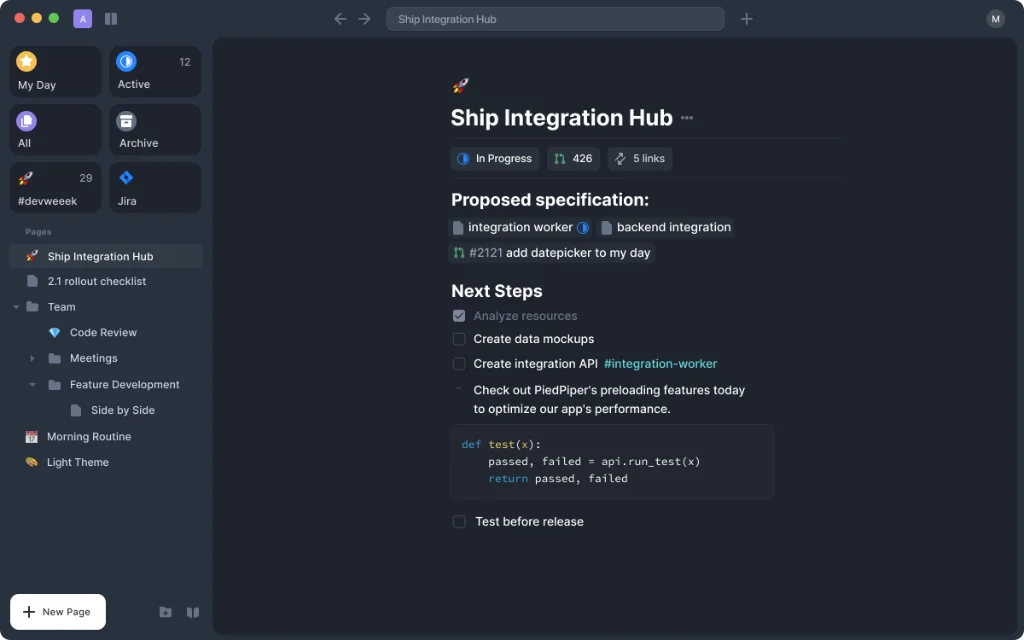
- Acreom is described as a “second brain for engineers”. Tried and failed to install the version for macOS Silicon, but succeeded with the Intel offering. Acreom allows you to write in markdown for every issue or a piece of the knowledge base. It comes with an editor to keep all your context in one place and connects with GitHub.
- Markln is a markdown editor for the Terminal. It offers a dual-pane interface, where you can edit markdown and have a live preview, which is ideal if you don’t want to leave the command line. Requirements include Python 3.8 and the pip package manager.
- Slate requires a Google sign-in, which puts me off. It’s a minimal writing app with AI, which puts me off yet again. But, here’s the thing, invoking AI requires you to hit ⌘-K, so maybe that’s not such a bad thing. Requires Bun and access to Supabase – a Postgres development platform – for a local install.