The Markdown Link no. 13
Links that attracted my attention recently
An occasional post from The Markdown Handbook.
Among today’s links are markdown editors Minknote, SilverBullet and MKeditor, markdown reader/viewer Readdown, a mini guide to Neovim/Vim, and the ultimate markdown set up in the Micro Journal Rev. 2.
- Readdown is a markdown reader that prevents opening .md files in Xcode, VS Code, or whatever your Mac’s default is set at, allowing you to double-click to read or spacebar to preview. It does nothing more than that.
- MinkNote is available on Testflight. It is a local-first macOS app for organising ideas and projects, designed around a simple constraint: everything should be local, simple and built to last. The developer says: “It’s not positioned as ‘another notes app’”, but that’s exactly what it is.
- The Nevovim/Vim mini guide serves as a reference document that is more structured than a cheat sheet and shorter than a full tutorial. If you enjoy using Neovim or Vim it’s worth downloading.
- The Micro Journal Rev. 2 offers the ultimate, distraction-free, markdown set up. I want one.
- Ever wanted to get back to the keyboard-driven approach markdown is known for? SilverBullet is a self-hosted markdown editor that can be run from a single binary (my choice) or Docker. To follow the single binary route, download the version labelled silverbullet-server-darwin-x86_64.zip for macOS Silicon. Unzip it, pop it in a folder called ‘SilverBullet’, add a folder called ‘space’ to the same folder, switch to the SilverBullet folder in Terminal and type
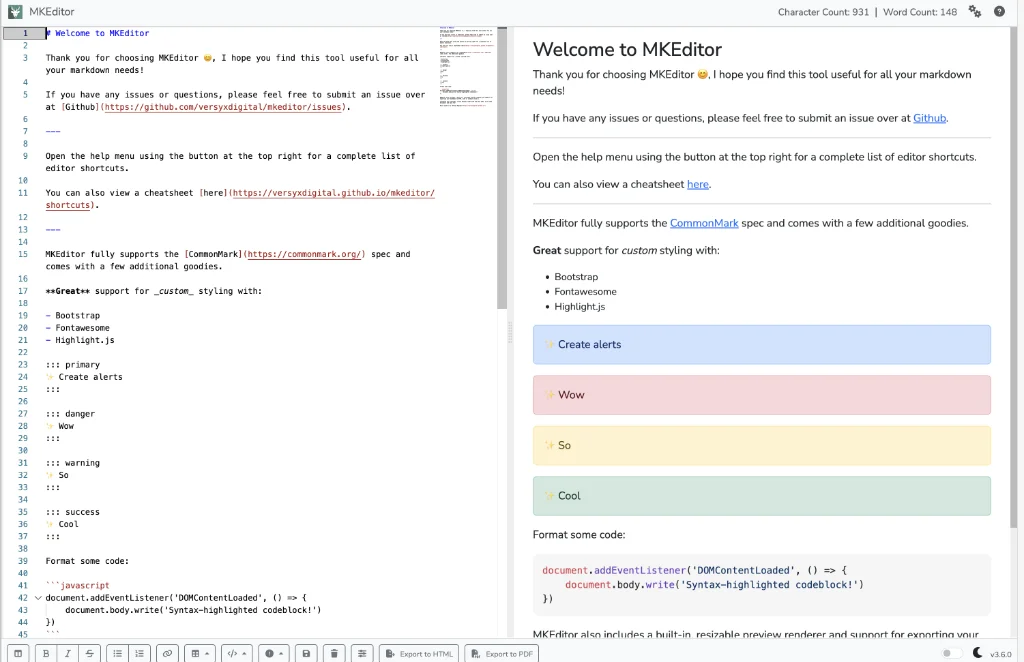
./silverbullet -p3000 space. You can also turn it into an app that sits in your Dock. Enjoy a back-to-the-keyboard moment in your browser. Don’t worry if the internet goes down; your notes are safe. - MKeditor is a web app that includes, among other things, support for tables, code blocks and admonitions. It follows the Commommark spec of markdown. Export to markdown, HTML or PDF. Do worry if the internet goes down. Again.
- Marcin Wichary delivers a sideways glance at the history of the cursor in The Curse of the Cursor. The earliest rendition of the cursor goes back to 1968!