FSNotes brings back memories. Good ones
FSNotes is a modern markdown editor that emulates Notational Velocity in many ways, but is different in so many others

To steal a few lines on open source versus proprietary software from Iterative Wonders:
Imagine you go to a famous burger joint. You love the special sauce. You ask the chef for the recipe, and he looks at you like you just asked for his social security number.
“It’s a trade secret,” he says, guarding the vat of mayo with his life.
That is Proprietary Software…
FSNotes, on the other hand, is open source software. The code is freely available for anyone to fork it or contribute their bit. Yes, it sells apps through the Mac and iOS app stores, but this is simply a means of supporting further development. Pocket money, in other words, so its developer, Ukrainian Oleksandr Hlushchenko, can work on and improve the software.
When I first installed FSNotes, I thought there’s something familiar about the way this app works. It took me back to 2011 and nvALT, the first markdown editor I came across and, subsequently, used. Then I read the notes and all became clear. Many of the shortcut keys are based on Notational Velocity, a predecessor of nvALT.
For instance, one way to create a new note is to simply start typing its title in the search and create field, just as in nvALT. If the title isn’t already present, hit return and it creates a new note. Of course, the other way to create a new document is to use ⌘-N, as most apps do.
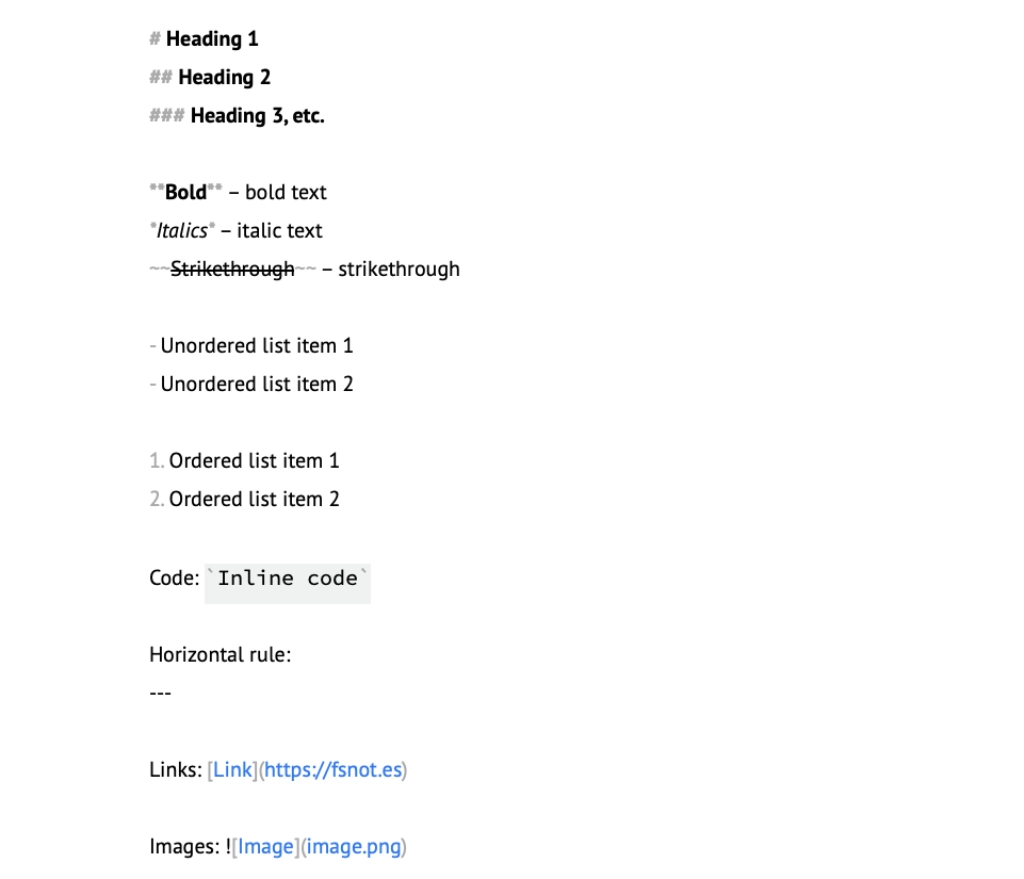
Words are emphasised but the syntax remains, so **bold**, for example, keeps its asterisks, although they are greyed out so they kind of fade away. That’s an improvement on nvALT, where the asterisks stay and the word isn’t bolded.
I can’t help thinking, though, that there should be some other way to distinguish headings from body text. Maybe giving the headings different colours would help, or even using some kind of scaled size so that # Heading 1 is twice the base font size, right down to # Heading 6, which is the same as the base font size.
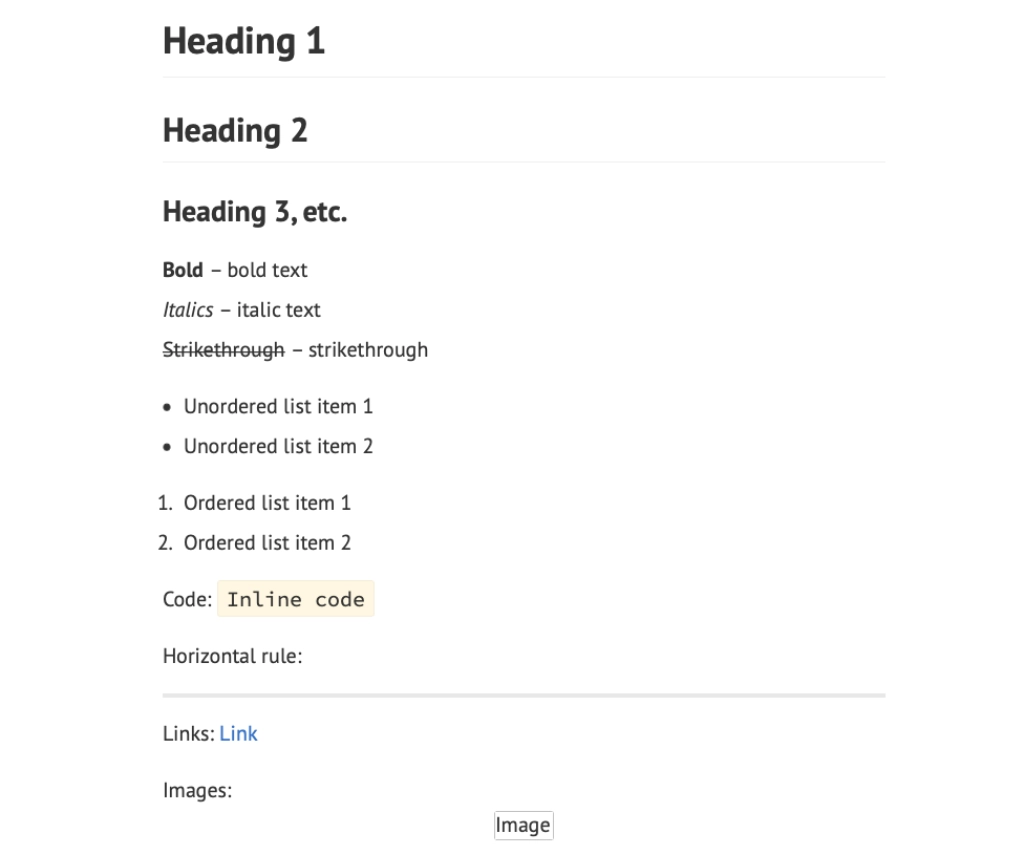
The headings become clearer when you the check the note’s preview. Command-/ is the shortcut key in case you were wondering.
FSNotes works best if you have your tagging in order. Many people don’t including me, preferring the old way of having a distinct set of folders. The app does not recognise subfolders, nor does the developer have any plans to recognise them.
There’s currently no official way to add a journal, but I can think of many ways of adding a basic journal by adopting a common tag. It may not be as refined as some apps out there, but it gets the job done and, more importantly, keeps your notes in plain text.
Todos get their own section in the sidebar. You add a todo by pressing ⌘-0 (that’s zero, not ‘O’) or you can stick with the markdown syntax for tasks. This involves typing - [ ] and adding an ‘x’ in between the brackets once you have completed a task. The - [x]adds strikethrough to that particular task to show it’s complete.
Additional features include maths equations – implemented with MathJax – tables, footnotes, fenced code blocks, graphs, Git integration and security, which enables you to ‘autolock’ encrypted notes.
There is also support for the Textbundle format, which brings convenience by bundling your markdown text and all referenced images into a single file. Supported applications can exchange TextBundles without asking for additional permissions.
FSNotes syncs with iCloud and, again, there is no sign that Dropbox, WebDAV or Google Drive sync will be added in the future.
FSNotes is currently on version 6, with version 7 on the horizon. On social media, the developer said: “FSNotes 7 for macOS and iOS will be released simultaneously. The main focus [will be] on performance and modern design. The preliminary release date is December-January, provided that everything goes well in Kharkiv.”
I, for one, can’t wait to see what Hluschenko has up his sleeve.