Five markdown editors that travel well, wherever you’re going
These markdown editors go anywhere, whether you’re a journalist, off on holiday or simply away from your beloved laptop
Markdown editors for those occasions when you don’t have access to your laptop or desktop. On holiday with access to a hotel computer, on a friend’s laptop or a journalist who needs remote access to your notes…
All offer free plans, but some are more restrained than others.
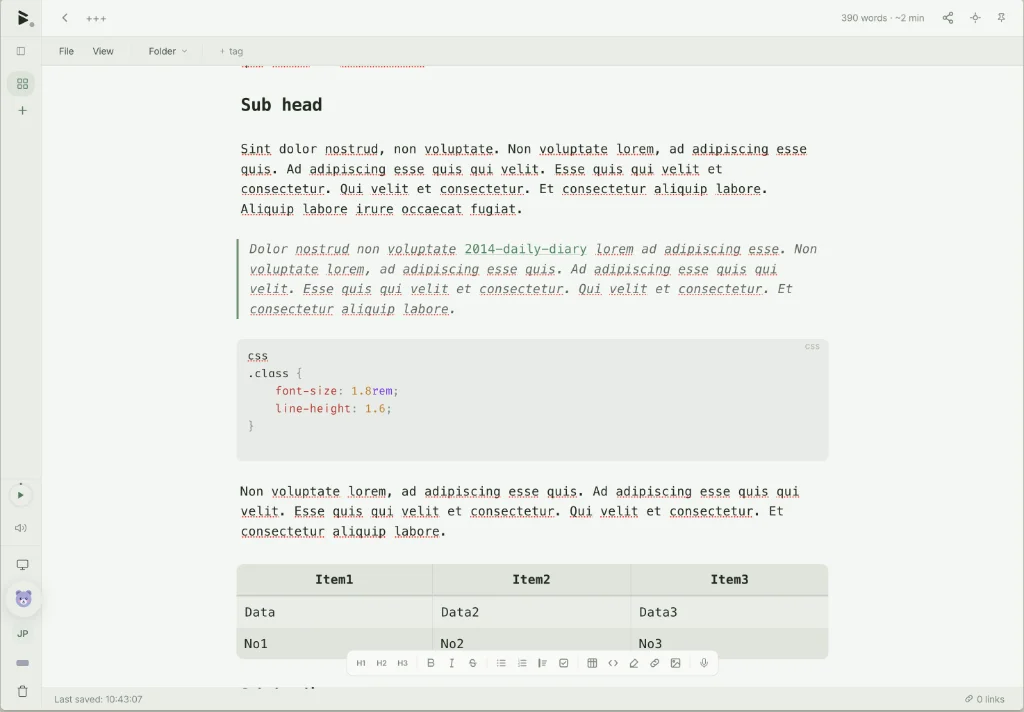
- BlackBear offers plans from free. Sharing comes with Cloud backup. I like the way you can enter the vault using a passphrase. To be on the safe side, use something like ‘Dog5-eat-chum!’, which is memorable. Don’t(!) use something like ‘Password7’, which says look at me. There’s also a calendar, tasks and chat. With the free plan sync is manual, requiring you to enter the status bar, just above the bin in the sidebar, and find the ‘sync now’ button; it’s not obvious. Every feature runs on your device at no cost: every editor and file type, search, templates, offline use, import and export. Export includes to markdown, which allows you to include the title and date as YAML, plain text or HTML. Plans start from free and range to $19 per year (5GB plus other features) or go Pro at $48 per year (50GB).
- nTilia is an offline first markdown editor that respects your privacy. I know, I received its email salvo – both of them – the first being a code for access, the second to do with the licence. nTilia is primarily aimed at journalists and researchers, which may have something to do with having a published journal among its features. The font used is limited to sans-serif. Export as markdown, PDF or Word. nTilia supports tables and other blocks via the
/command. Three tiers starting from free (25 articles per month), Pro ($14, unlimited articles and a journal) and Pro+ ($22, your own custom domain). There are additional benefits associated with each tier. - Mintype is free, but sign in requires you to sync your notes to Google Drive. If you want to share a document, you guessed it, you have to sign in with Google to create a read-only link to that document. But if you simply want to write a note and save it, Mintype works fine. You can export it when you get home. Export is to markdown or JSON. Tables are supported.
- HermesMarkdown runs in your browser and updates itself. Store in the browser or add an Obsidian vault, the latter only if you use Google or Brave browsers. Font choice is between Geist, Duospace or Quattro, all monospace. Template packs include: journal, meetings, writing, projects, engineering or finance. Under HermesMarkdown’s settings, Vim mode for typing, word count and AI features are all off by default. Copy as markdown or export as HTML or PDF.
- Lodlen has a 1000 character limit per note, which is restrictive to say the least. It’s more of a place for ideas or things to remember than a notes app. Lodlen brings them back later, reconnects related ideas, and turns repeated patterns into recaps. Unsubscribe from automatic recap emails, which ‘automatically’ raises questions about the privacy of this app. There are free and Pro models, with pricing yet to be decided.
Head says nTilia for its sync feature, which appears to be seamless between desktop and browser. My heart leads me to choose HermesMarkdown, for its looks and the fact that it copes well with tables. But commonsense dictates I choose BlackBear for its layout, its import features and the fact that it handles tables.
Now, if only they could all sync to my Obsidian folder…
Haven’t found what you’re looking for? Try this site’s list of recommended markdown editors.
Small print
Fonts: Many screenshots on this site use a font in the editor called iA Writer Mono, made freely available by the company behind iA Writer, another markdown editor.
Development: I am not a developer. So, I am not the developer of any of the apps mentioned above or elsewhere on this site. Nor am I earning a commission from any of the apps mentioned above or on this site. I wish I was a developer, because I would make the best markdown editor the world had ever seen. Probably.
Testing: I use Macs to test out the apps, usually a 2022 Macbook Air (M2, Silicon); occasionally, a 2017 Macbook Air (Intel). Apps available for other operating systems are merely mentioned as a courtesy, and for the purposes of completeness.